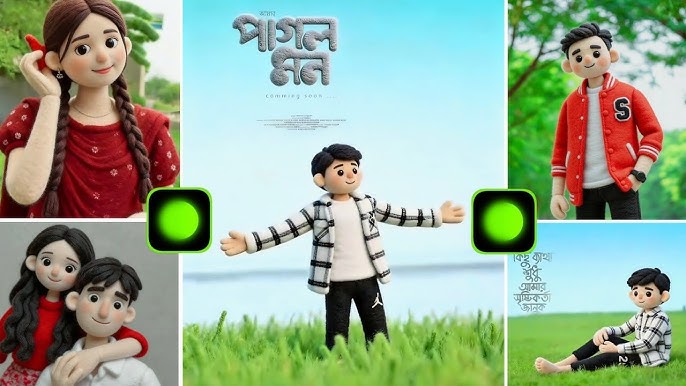
In 2025, social media photography is no longer just about sharp images or perfect lighting. One of the most viral and visually pleasing trends right now is the Fluffy Magic Photo effect. This style turns ordinary portraits into soft, dreamy, glowing images that feel magical, warm, and emotionally calming.
You’ve probably seen Fluffy Magic Photos on:
- Instagram Reels
- TikTok edits
- Pinterest aesthetic posts
- Profile pictures
- AI-styled portraits
The fluffy magic look is characterized by soft textures, glowing highlights, pastel colors, smooth skin, and an almost fairytale-like atmosphere. Best of all, you don’t need expensive cameras or advanced software. With the help of AI tools and mobile editing apps, anyone can create this trending effect.
In this complete 2000-word guide, you’ll learn exactly how to create a Trending Fluffy Magic Photo, including tools, step-by-step methods, AI prompts, editing tips, mistakes to avoid, and viral strategies.
What Is a Fluffy Magic Photo?
A Fluffy Magic Photo is a soft-aesthetic image style that combines:
- Smooth, fluffy textures
- Dreamy lighting
- Pastel or warm color grading
- Glow and haze effects
- Magical atmosphere
The photo looks:
- Light
- Airy
- Dream-like
- Calm and soothing
This style is popular because it gives photos a fantasy feel without making them look unrealistic.
Why Fluffy Magic Photos Are Trending in 2025
1. Aesthetic Social Media Culture
Soft visuals get higher engagement than harsh edits.
2. AI Photo Editing Boom
AI tools now easily create magical effects.
3. Emotional Connection
Fluffy images feel calm, romantic, and peaceful.
4. Perfect for Profile Pictures
Creators use them for DP, thumbnails, and branding.
5. Viral Reel Compatibility
Fluffy edits pair perfectly with slow music and transitions.
Essential Tools to Create Fluffy Magic Photos
You can create this effect using AI tools, mobile apps, or professional software.
Best AI Tools
- Remini AI
- Fotor AI
- Leonardo AI
- Bing Image Creator
- PicsArt AI
- Lensa AI
Best Mobile Editing Apps
- CapCut (Photo editing mode)
- Lightroom Mobile
- PicsArt
- Prequel
- Snow
- Meitu
- Snapseed
Professional Software (Optional)
- Adobe Photoshop
- Adobe Lightroom (Desktop)
- Procreate (iPad)
Method 1: Create Fluffy Magic Photo Using AI (Fastest Method)
This method is perfect if you want instant results.
Step 1: Choose the Right Photo
Your image should have:
- Soft lighting
- Clear face
- Neutral background
- Calm expression
Avoid harsh sunlight or shadows.
Step 4: Download in High Resolution
Choose 2K or 4K if available.
Method 2: Create Fluffy Magic Photo Using Mobile Apps (Manual Editing)
This gives more control over the final look.
Step 1: Edit in Lightroom Mobile
Apply these settings:
Light
- Exposure: +0.20
- Contrast: -20
- Highlights: -30
- Shadows: +35
Color
- Temperature: +10
- Tint: +5
- Vibrance: +20
- Saturation: -5
Effects
- Texture: -20
- Clarity: -25
- Dehaze: -15
This creates a soft, fluffy base.
Step 2: Add Glow in PicsArt or Prequel
- Open the photo
- Add Glow / Soft Light effect
- Adjust intensity to 20–35%
Step 3: Apply Blur & Haze
- Use Gaussian blur on background
- Add light haze or fog effect
Step 4: Add Magic Overlays
Use overlays like:
- Light leaks
- Sparkles
- Dust particles
- Bokeh lights
Set blend mode to Screen or Lighten.
Step 5: Final Touch in CapCut
- Add vignette
- Reduce sharpness
- Slight zoom animation for reels
Method 3: Fluffy Magic Photo Using Photoshop (Advanced)
Step 1: Skin Softening
Use:
- Surface blur
- Dodge & burn
Step 2: Add Dreamy Glow
Duplicate layer → Gaussian blur → Soft Light blend.
Step 3: Color Grade
Use pastel LUTs or Gradient Map.
Step 4: Add Texture
Add light grain for a natural look.
Best Color Palettes for Fluffy Magic Photos
- Baby pink
- Peach
- Lavender
- Cream white
- Sky blue
- Warm beige
Avoid dark or harsh colors.
Best Backgrounds for Fluffy Magic Photos
- Plain pastel walls
- Sky
- Flowers
- Soft curtains
- Natural light windows
- Minimal aesthetic rooms
Outfit Suggestions
For Girls
- Pastel dresses
- Soft sweaters
- Floral outfits
- Light makeup
For Boys
- Neutral shirts
- Soft hoodies
- Earth-tone outfits
Lighting Tips
- Use window light
- Shoot during golden hour
- Avoid flash
- Use white reflectors
Common Mistakes to Avoid
❌ Over-smoothing skin
❌ Too much glow
❌ Harsh contrast
❌ Dark shadows
❌ Over-saturation
How to Make Fluffy Magic Photos Go Viral
1. Use Trending Music
Soft lo-fi or romantic tracks.
2. Add Aesthetic Captions
Emotional or poetic lines work best.
Uses of Fluffy Magic Photos
- Instagram profile pictures
- Reel thumbnails
- Pinterest posts
- AI portfolios
- Branding visuals
- Love or friendship edits
Future of Fluffy Magic Photo Trend
In coming years, this style will evolve into:
- AI-animated fluffy portraits
- 3D glow effects
- Magic-motion reels
- Personalized AI presets
Creators who master this now will stay ahead.
Conclusion
The Trending Fluffy Magic Photo style is all about softness, emotion, and beauty. It turns simple images into magical moments that feel warm and dreamy. With the right tools, lighting, and editing techniques, anyone can create this effect—whether you’re a beginner or an advanced editor.
Start experimenting, find your personal style, and let your photos glow with fluffy magic in 2025.
For Morr Information Visit