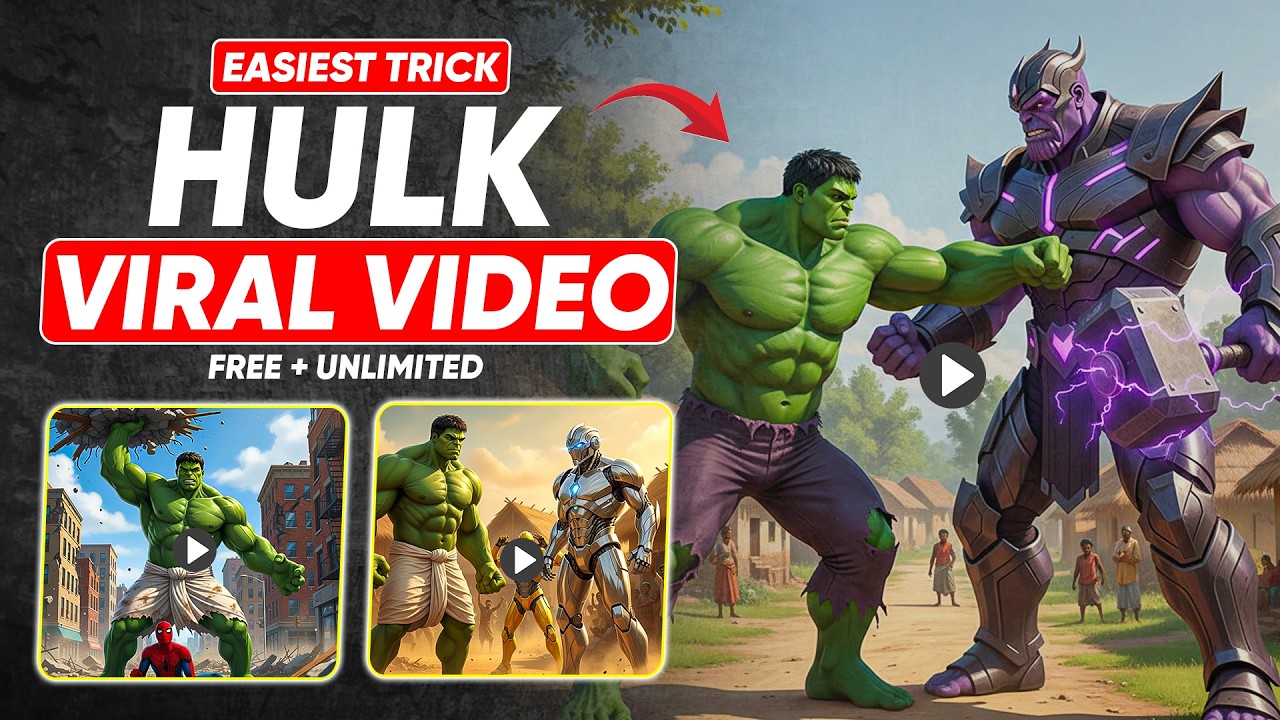
AI Hulk videos feature a realistic or cartoon-style Hulk character that can talk, move, react, sit in a studio, record podcasts, or deliver motivational speeches. These videos are extremely popular on YouTube, Instagram Reels, TikTok, and Facebook, especially in entertainment, comedy, motivation, and tech niches.
Whether you are a beginner or an advanced creator, this guide will help you make high-quality AI Hulk videos in 2025.
What Is an AI Hulk Video?
An AI Hulk video is a video created using artificial intelligence where the Hulk character is generated, animated, and sometimes given a human-like voice and expressions.
Key Features of AI Hulk Videos
- AI-generated Hulk character
- Talking or lip-synced Hulk
- Realistic or cartoon animation
- Studio or cinematic background
- AI voice or custom voiceover
- Fully editable video
AI Hulk videos can be:
- Talking head videos
- Podcast-style videos
- Motivational speeches
- Comedy skits
- Educational content
Why AI Hulk Videos Are Trending in 2025
1. High Entertainment Value
The Hulk is a globally recognized character, making videos instantly engaging.
2. AI Avatar Popularity
AI avatars are booming on YouTube and Shorts platforms.
3. Low Cost, High Quality
No camera, no actor, no studio required.
4. Viral Potential
AI character videos get higher click-through rates and watch time.
5. Multi-Platform Use
One video can be reused on YouTube, TikTok, Instagram, and Facebook.
What You Need to Create an AI Hulk Video
Basic Requirements
- Smartphone or PC
- Internet connection
- AI tools (mostly free or low-cost)
- Script or dialogue
Optional Enhancements
- Microphone sound effects
- Studio background
- Cinematic lighting
- Background music
Step 1: Create the AI Hulk Image or Character
Before making a video, you need a Hulk image or model.
Best AI Image Tools
- Midjourney
- Leonardo AI
- Bing Image Creator
- BlueWillow
- Stable Diffusion
Step 2: Convert Hulk Image into a Talking Video
Once your Hulk image is ready, you need to animate it.
Best AI Talking Video Tools
- D-ID
- HeyGen
- Pictory AI
- Synthesia
- Veed AI
How to Make Hulk Talk Using D-ID
- Upload Hulk image
- Add script text
- Select voice
- Generate talking video
D-ID automatically adds:
- Lip movement
- Eye motion
- Head movement
Step 3: Create Hulk AI Voice
To make your video more realistic, use a Hulk-style voice.
Best AI Voice Tools
- ElevenLabs
- PlayHT
- Murf AI
- Voice.ai
Tips for Hulk Voice
- Deep tone
- Slight distortion
- Slow speech
- Powerful emotion
Step 4: Write a Script for AI Hulk Video
Your script should match Hulk’s personality.
Example Script
“Hello everyone, Hulk here!
Today I will show you how AI is changing the world.
You don’t need power… you need knowledge.
Follow me for more amazing AI tips!”
Step 5: Add Studio Background & Effects
To make your AI Hulk video look professional:
Editing Tools
- CapCut
- Adobe Premiere Pro
- DaVinci Resolve
Add:
- Studio background
- Microphone sound
- Light glow
- Camera shake (very light)
Step 6: Add Subtitles for Better Engagement
Subtitles increase:
- Watch time
- Accessibility
- Retention
Use:
- CapCut auto captions
- Veed subtitles
- Premiere Pro captions
Different Styles of AI Hulk Videos
1. Podcast Hulk
- Hulk sitting on chair
- Mic in front
- Talking calmly
2. Motivational Hulk
- Inspiring speeches
- Background music
- Slow camera zoom
3. Funny Hulk
- Comedy lines
- Memes
- Fast cuts
4. Educational Hulk
- Explaining AI, tech, or facts
Best Settings for YouTube & Shorts
Aspect Ratio
- YouTube Shorts / Reels: 9:16
- YouTube Long: 16:9
Resolution
- 1080p or 4K
Frame Rate
- 30fps
How to Make AI Hulk Videos Go Viral
1. Strong Hook (First 3 Seconds)
Start with Hulk speaking loudly or humorously.
2. Use Trending Audio
Combine Hulk voice with trending sounds.
3. Add Text on Screen
Big bold captions work best.
4. Short & Punchy Videos
7–30 seconds perform best.
5. Consistent Posting
Upload Hulk content regularly.
Common Mistakes to Avoid
❌ Low-quality Hulk images
❌ Robotic voice
❌ Too long scripts
❌ Poor lighting
❌ Copyright music
Is It Legal to Create AI Hulk Videos?
Hulk is a copyrighted character. To stay safe:
- Use AI-generated “Hulk-inspired” characters
- Avoid official Marvel logos
- Don’t claim official affiliation
- Use for parody, education, or creative content
Always follow platform guidelines.
SEO Keywords for AI Hulk Video
- how to create ai hulk video
- ai hulk talking video
- ai superhero video creation
- hulk ai avatar video
- ai character video tutorial
- viral ai hulk reels
Prompt For Story:
This is the opening image of a viral YouTube Short where Hulk is the main character.
STORY:
[PASTE YOUR STORY HERE — same tone, motivational or cinematic]
TASK:
Convert this story into a cinematic AI video by dividing it into 8-second dialogue-based scenes.
RULES:
– Video prompts must be written in ENGLISH only.
– All character dialogues must be written in Urdu (Roman Urdu script only).
– The spoken dialogue in each scene must match exactly what the character says in that scene.
– Hulk must remain the MAIN character in every scene and must be shown as a muscular bodybuilder.
– If any new character appears, describe that character in full detail inside that scene’s prompt.
– All scenes must be realistic, cinematic, and 4K quality.
– Maintain the same emotional tone and flow of the original story.
– Each scene should feel connected and continuous.
FOR EACH SCENE, CLEARLY INCLUDE:
– Scene number and duration (8 seconds)
– Dialogue (Urdu – Roman Urdu only)
– Location
– Camera movement and framing
– Lighting style
– Audio (music, ambience, sound effects)
– Mood and emotion
– Visual details (studio, environment, props, expressions)
OUTPUT FORMAT:
– First show the full rewritten story (same length and tone).
– Then show scene-by-scene breakdown with Gemini Veo 3–ready video prompts.
STYLE:
– Viral YouTube Shorts pacing
– Cinematic storytelling
– Emotional, motivational, or dramatic impact
Monetization Ideas for AI Hulk Videos
- YouTube ads
- Brand collaborations
- AI tutorial channels
- Paid custom videos
- Affiliate marketing
Future of AI Character Videos
In the future:
- Real-time AI avatars
- 3D motion capture
- Voice cloning
- Interactive AI characters
AI Hulk-style videos are just the beginning.
Conclusion
Creating an AI Hulk video is one of the most exciting and creative uses of artificial intelligence in 2025. With the right AI tools, scripts, voices, and editing techniques, you can produce highly engaging and viral content without expensive equipment.
Whether you’re making videos for fun, education, or income, AI Hulk videos offer endless creative possibilities.
Start experimenting today, and let AI Hulk bring your content to life!
For More Information Visit