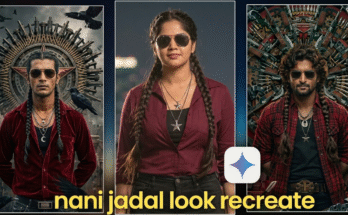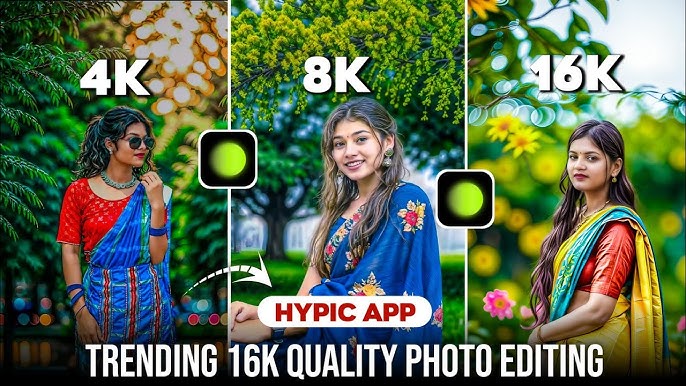
In today’s digital-first world, image quality has become more important than ever. With the rise of 4K, 8K, and even 16K ultra-high-resolution displays, photo editing has entered a new era. Creators, photographers, designers, and influencers are no longer satisfied with basic HD images. Instead, crystal-clear details, sharp textures, realistic colors, and cinematic depth are now the standard.
In 2025, 4K, 8K, and 16K quality photo editing is one of the biggest trends across social media, professional photography, AI art, e-commerce, and digital marketing. High-resolution images not only look stunning but also help boost engagement, brand trust, and SEO rankings.
In this complete 2000-word guide, you will learn:
- What 4K, 8K, and 16K photo editing means
- Why ultra-high resolution editing is trending
- Best tools and software for high-quality editing
- Step-by-step editing workflow
- AI techniques to upscale photos
- Pro tips to achieve realistic results
- Common mistakes to avoid
- SEO and social media benefits
Let’s explore how to master trending high-quality photo editing in 2025.
What Is 4K, 8K, and 16K Quality Photo Editing?
Understanding Resolution
Resolution refers to the number of pixels in an image. More pixels mean greater detail, clarity, and sharpness.
- 4K Resolution: Approximately 3840 × 2160 pixels
- 8K Resolution: Approximately 7680 × 4320 pixels
- 16K Resolution: Approximately 15360 × 8640 pixels
When editing photos at these resolutions, every small detail—skin texture, fabric, shadows, highlights, and background elements—becomes visible. This requires advanced editing skills, powerful tools, and careful techniques.
Why High-Resolution Photo Editing Is Trending in 2025
1. Social Media Evolution
Platforms like Instagram, Pinterest, Behance, and 4K YouTube thumbnails reward high-quality visuals with better reach and engagement.
2. AI-Powered Upscaling
Modern AI tools can enhance low-resolution images into 4K, 8K, and even 16K quality, making high-resolution editing accessible to everyone.
3. Professional Branding
High-resolution photos increase brand credibility for photographers, businesses, and influencers.
4. Future-Proof Content
Ultra-high-quality images remain relevant for years as screen technology advances.
5. Printing & Commercial Use
Large prints, billboards, posters, and magazines demand extremely high resolution.
Best Tools for 4K, 8K, and 16K Photo Editing
Professional Editing Software
- Adobe Photoshop – Industry standard for ultra-high-resolution editing
- Adobe Lightroom – Best for color grading and detail control
- Affinity Photo – Budget-friendly professional editor
- Capture One – Excellent for RAW photo editing
AI Photo Enhancement Tools
- Topaz Photo AI
- Gigapixel AI
- Remini AI
- Let’s Enhance
- Photoshop Generative AI
Mobile Apps for High-Quality Editing
- Lightroom Mobile
- PicsArt
- Snapseed
- Remini AI Photo Enhancer
Step-by-Step Workflow for High-Quality Photo Editing
Step 1: Start With the Best Source Image
Always use:
- RAW photos (preferred)
- High-resolution JPEG/PNG
- Good lighting and sharp focus
The better the source, the better the final result.
Step 2: Upscale the Image (If Needed)
If your image is low resolution:
- Use AI upscaling tools
- Convert it to 4K, 8K, or 16K
- Avoid traditional resize methods—they cause blur
AI tools add realistic details instead of stretching pixels.
Step 3: Basic Adjustments
In Lightroom or Photoshop:
- Exposure: Balanced
- Contrast: Moderate
- Highlights: Reduced
- Shadows: Lifted
- Whites & Blacks: Fine-tuned
These adjustments create a strong base.
Step 4: Advanced Skin and Detail Editing
For portraits:
- Remove blemishes carefully
- Use frequency separation
- Keep skin texture natural
- Avoid plastic look
For landscapes:
- Enhance clarity
- Sharpen edges
- Improve sky details
Step 5: Color Grading for Premium Look
Color grading is crucial in high-resolution editing.
Trending color styles in 2025:
- Cinematic teal & orange
- Soft warm tones
- Natural skin colors
- Minimal saturation with rich contrast
Step 6: Sharpening & Noise Control
- Apply selective sharpening
- Reduce noise without losing texture
- Avoid over-sharpening—it looks unnatural in 8K and 16K
AI’s Role in Ultra-High-Quality Photo Editing
AI has revolutionized photo editing:
AI Features
- Automatic detail enhancement
- Face & eye correction
- Noise removal
- Background upscaling
- Texture recovery
AI helps editors achieve professional results faster, especially at ultra-high resolutions.
Best Use Cases for 4K, 8K, and 16K Images
1. Social Media Content
High-quality images increase:
- Engagement
- Saves
- Shares
2. E-Commerce Photography
Product images look more premium and trustworthy.
3. Professional Photography
Weddings, portraits, and fashion demand sharp visuals.
4. Print & Advertising
Billboards and posters require extreme clarity.
5. AI Art & Digital Illustrations
High resolution improves realism.
Export Settings for Best Quality
For Web & Social Media
- Format: JPEG or PNG
- Resolution: 4K
- Color Space: sRGB
For Professional & Print
- Format: TIFF or PNG
- Resolution: 8K or 16K
- Color Space: Adobe RGB
- DPI: 300
Common Mistakes to Avoid
❌ Over-editing skin
❌ Excessive sharpening
❌ Artificial colors
❌ Ignoring noise
❌ Upscaling without AI
❌ Low-quality source images
SEO Benefits of High-Quality Images
Google favors:
- Clear visuals
- Fast-loading optimized images
- Engaging media content
High-resolution images can:
- Improve dwell time
- Increase click-through rate
- Boost website ranking
Trending 4K, 8K, 16K Photo Editing Styles in 2025
- Cinematic portrait editing
- Hyper-realistic AI portraits
- Ultra-clean product shots
- Dramatic light & shadow edits
- Minimal yet detailed looks
How Creators Monetize High-Quality Photo Editing
- Selling presets
- Freelance editing services
- Stock photography
- Brand collaborations
- YouTube tutorials
Prompt:
Enhance the uploaded image into ultra-detailed, photorealistic realism while preserving its original composition, emotion, and identity. Do not beautify, stylize, or idealize the subject.Introduce authentic real-world imperfections: natural asymmetry in facial features and body posture, subtle unevenness in eyes, eyebrows, lips, and bone structure. Add realistic skin texture with visible pores, fine lines, tiny blemishes, slight discoloration, uneven tones, and micro-shadows. Avoid smooth or plastic skin completely. Improve clarity and depth without over-sharpening. Enhance micro-details such as individual hair strands, flyaways, fabric fibers, wrinkles, dust, wear, fingerprints, reflections, and environmental imperfections appropriate to thescene.Replace artificial or “Al” lighting with believable real-life lighting based on the scene: natural falloff, imperfect shadows, soft highlights, realistic contrast, and subtle light color shifts.Lighting should feel accidental.
Future of Ultra-High-Resolution Editing
The future includes:
- Real-time AI enhancement
- 3D image depth
- Holographic displays
- VR-ready photos
High-quality photo editing is not just a trend—it’s the future.
SEO Keywords to Use
- 4K photo editing
- 8K quality photo editing
- 16K ultra HD photo editing
- high resolution photo editing
- AI photo enhancement
- professional photo editing 2025
Conclusion
4K, 8K, and 16K quality photo editing has become the new standard in 2025. With powerful AI tools, advanced software, and the right techniques, anyone can transform ordinary photos into ultra-high-definition masterpieces.
Whether you’re a content creator, photographer, designer, or business owner, mastering high-resolution photo editing will help you stay ahead of the competition, grow your audience, and deliver visually stunning results.