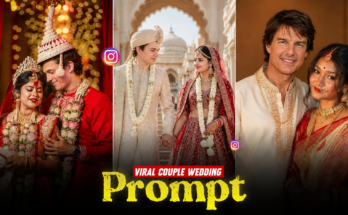
Instagram reels are evolving fast, and one trend that’s dominating the platform right now is the Character Intro Video. From cinematic entrances to stylish name reveals, character intro videos instantly grab attention and boost engagement. Whether you’re a content creator, video editor, or brand, mastering this trend can take your Instagram presence to the next level.
In this complete Instagram Trending Character Intro Video Editing Tutorial, you’ll learn how to create eye-catching intros using simple tools, creative effects, and smart editing techniques—no advanced skills required.
What Is an Instagram Character Intro Video?
A Character Intro Video is a short, high-impact clip that introduces a person, character, or digital avatar with dramatic visuals, text animations, sound effects, and transitions. These videos are commonly used in:
- Instagram Reels
- YouTube Shorts
- TikTok videos
- Gaming intros
- Personal branding content
The goal is simple: hook the viewer in the first 2–3 seconds.
Why Character Intro Videos Are Trending on Instagram
Instagram’s algorithm favors videos that retain attention. Character intro videos perform well because they:
- Create instant curiosity
- Look cinematic and professional
- Use motion, text, and sound together
- Feel personalized and powerful
Creators using this format often see higher reach, saves, and shares compared to normal reels.
Tools You Need for Character Intro Video Editing
You don’t need expensive software. Here are beginner-friendly tools that work perfectly:
Mobile Apps
- CapCut (Highly recommended)
- VN Video Editor
- Alight Motion
PC Software
- Adobe After Effects
- Premiere Pro
- DaVinci Resolve
For most Instagram creators, CapCut is the easiest and most powerful option.
Step-by-Step Instagram Character Intro Video Editing Tutorial
Step 1: Choose the Right Clip or Photo
Select a clear photo or short video of the character or person. Make sure:
- The face is visible
- The background isn’t too busy
- The pose looks confident or dramatic
Step 2: Remove or Blur the Background
To make your character stand out:
- Use background remover (CapCut / AI tools)
- Or apply a cinematic blur to the background
This gives a professional, movie-style look.
Step 3: Add Cinematic Motion
Static visuals don’t perform well. Add motion by:
- Slow zoom in or zoom out
- Camera shake effect
- 3D rotation or parallax effect
These movements create depth and energy.
Prompt:
Transform the image into a high-end professiona pop-art vector illustration.Use Clean vector shapes with accurate facial features. soft cartoon detailing, minimal halftone shading. Add comic bursts, dottec patterns, motion lines, energv effects, spark highlights using the photo’s dominant colors. Bold outlines, crisp edges, vibrant balanced colors, fully color-adaptive pop-art background and some cute pink hearts.
Step 4: Add Name & Character Text Animation
This is the core of the intro.
- Use bold fonts
- Add glitch, fade, or slide animations
- Keep text short and impactful (Name, Title, or Tagline)
Example:
“IBRAR EDITING ZONE”
“THE CREATOR”
Step 5: Use Trending Sound Effects or Music
Audio makes or breaks a reel.
- Use cinematic bass drops
- Whoosh and impact sound effects
- Trending Instagram reel audios
Prompt:
A high-quality digital illustration of a confident young man(keep his real face unchanged) with messy dark wavy hair, wearing stylish round dark sunglasses. He is dressed in a sharp black suit with a crisp white dress shirt and a black necktie. He has a slight stubble and a cool, smirking expression. The man is standing in a strong, confident pose — chest slightly forward, shoulders relaxed but powerful, head tilted back slightly, conveying dominance and self-assurance. The shot is captured in an ultra wide-angle cinematic perspective, making the subject appear bold and larger-than-life, with subtle perspective distortion that enhances attitude and presence. The background is a solid, vibrant red with a subtle canvas or paper texture. Lighting is dramatic and cinematic, coming from the side to create deep, sharp shadows and high contrast. Art style resembles a sleek modern movie poster, featuring fine brushwork, gritty texture, polished noir-inspired finish, high detail, cinematic contrast, premium poster-quality illustration. Aspect Ratio: 3:4
Sync text and motion with the beat for maximum impact.
Step 6: Apply Color Grading & Effects
Enhance the visual mood:
- Increase contrast
- Add cinematic LUTs
- Use light leaks or film grain
Don’t overdo effects—clean and sharp always wins.
Step 7: Export with Instagram Settings
For best quality:
- Resolution: 1080×1920
- Frame rate: 30fps or 60fps
- Format: MP4
- Aspect Ratio: 9:16
Pro Tips to Make Your Intro Go Viral
- Keep the video 5–7 seconds long
- Hook viewers in the first 1.5 seconds
- Use trending hashtags
- Post consistently
- Follow current reel styles
Consistency + creativity = growth.
Final Thoughts
The Instagram Trending Character Intro Video Editing style is more than a trend—it’s a powerful branding tool. With the right editing techniques, music, and motion, you can turn simple clips into scroll-stopping content.
Start experimenting, stay consistent, and keep improving your style. The more unique your intros are, the stronger your personal brand becomes on Instagram.
For More Information Visit