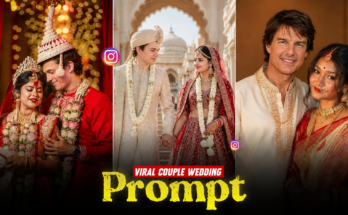
Artificial Intelligence has unlocked a new era of photography. Today, you don’t need a DSLR, expensive lenses, or a studio setup to create stunning visuals. With the right tools and techniques, anyone can generate AI cinematic photos that look like they belong in a movie.
From dramatic lighting and emotional storytelling to ultra-realistic portraits and epic landscapes, cinematic AI photography is trending across Instagram, TikTok, and professional portfolios. Whether you’re a content creator, designer, or beginner, this guide will teach you how to create AI cinematic photos step by step.
What Are AI Cinematic Photos?
AI cinematic photos are images generated or enhanced using artificial intelligence that mimic the look and feel of movie scenes. These images typically include:
- Dramatic lighting (low light, backlight, neon glow)
- High contrast and deep shadows
- Emotional or storytelling composition
- Film-style color grading
- Realistic depth of field
The goal is to make a single image feel like a moment captured from a film.
Why AI Cinematic Photography Is Trending
This style is growing rapidly because:
1. Professional Look Without Equipment
You can create Hollywood-style images using just AI tools.
2. Perfect for Social Media
Cinematic visuals grab attention instantly.
3. Unlimited Creativity
You can design scenes that don’t exist in real life.
4. Fast Production
AI generates high-quality results in seconds.
5. Personal Branding
Creators use cinematic photos to stand out online.
Where AI Cinematic Photos Are Used
These images are popular across many platforms:
- Instagram posts and reels thumbnails
- YouTube thumbnails
- Portfolio websites
- Freelancing platforms
- Digital marketing campaigns
Tools Needed to Create AI Cinematic Photos
You don’t need complicated software. These tools are enough.
AI Image Generators
These tools create your base image.
- Midjourney
- Leonardo AI
- Bing Image Creator
- Playground AI
Editing & Enhancement Apps
Use these to refine your image.
- Lightroom Mobile
- Remini
- Snapseed
- Photoshop (optional)
- Canva
Step-by-Step Guide to Create AI Cinematic Photos
Follow this simple workflow.
Step 1: Choose a Cinematic Concept
Before generating an image, decide your concept.
Examples:
- Lonely man in rain at night
- Girl standing under neon lights
- Warrior in battlefield sunset
- City street with fog and headlights
Strong concepts lead to powerful visuals.
Step 2: Write a High-Quality AI Prompt
The prompt is the most important part.
Example Prompt:
A cinematic portrait of a man standing in heavy rain at night, neon lights reflecting on wet street, dramatic lighting, shallow depth of field, emotional expression, ultra realistic, 4K, film still style.
Key Elements to Include:
- Subject description
- Environment
- Lighting style
- Mood/emotion
- Camera details
- Quality keywords (4K, ultra realistic)
Step 3: Generate Multiple Variations
Always generate multiple images.
Choose the best one based on:
- Lighting quality
- Sharpness
- Facial details
- Background composition
This increases your chances of getting a perfect shot.
Step 4: Enhance Image Quality
Use AI enhancement tools like Remini to:
- Improve face clarity
- Sharpen details
- Fix blur
This step makes your image look professional.
Step 5: Apply Cinematic Color Grading
Color grading is what makes your image cinematic.
Popular Styles:
- Teal and orange
- Dark moody tones
- Warm sunset glow
- Neon cyberpunk
Adjust:
- Contrast
- Highlights
- Shadows
- Temperature
Lightroom is perfect for this.
Step 6: Add Depth and Effects
Enhance realism by adding:
- Depth of field blur
- Film grain
- Light rays
- Lens flare
- Fog or smoke
These effects simulate real camera environments.
Step 7: Focus on Lighting
Lighting is everything in cinematic photos.
Types of cinematic lighting:
- Backlighting
- Side lighting
- Rim lighting
- Low-key lighting
Make sure the light source is visible and natural.
Step 8: Final Touch-Up
Before exporting:
- Adjust brightness
- Balance colors
- Remove unwanted artifacts
- Ensure subject stands out
Step 9: Export in High Quality
Recommended settings:
- Resolution: 1080p or higher
- Format: JPG or PNG
- Quality: Maximum
High resolution ensures better performance online.
Tips to Make Your AI Cinematic Photos Go Viral
Follow these tips:
Strong Subject Focus
Keep the subject clear and centered.
Use Emotional Expression
Emotion increases engagement.
Maintain Clean Composition
Avoid cluttered backgrounds.
Use High Contrast
Contrast makes images pop.
Follow Trends
Stay updated with viral styles.
Common Mistakes to Avoid
Avoid these beginner errors:
- Over editing
- Too much blur
- Unrealistic lighting
- Weak prompts
- Low resolution
Prompt:
A warm-toned cinematic portrait collage of a young woman with soft glowing skin, subtle freckles, and glossy nude lips.She has long dark brown hair styled in loose waves with face-framing strands. She is wearing traditional gold jhumka earrings and a delicate necklace, dressed in a deep maroon outfit with a sheer dupatta around the neck. The lighting is golden-hour inspired with rich amber highlights and soft shadows, creating a cozy, intimate mood.The composition is a collage layout with multiple cropped trames of her tace- close-ups of eyes, lips, and side protile-arranged aesthetically. Add soft floral elements like beige and orange lilies placed around the frame. Include Music player text: Title: “Darkhaast (feat. Arijit Singh, Sunidhi Chauhan)” Artist: “Mithoon” Include minimal playback bar and icons (play/pause, skip) in a box like Spotify. Skin appears dewy and radiant, with minimal elegant makeup. Style: soft glam, editorial, aesthetic Instagram collage, warm color grading, high detail, shallow depth of field, cinematic lighting, 4k ultra realistic.
Clean and natural images perform better.
SEO Tips for AI Cinematic Photography
If you’re publishing online:
Use keywords like:
- AI cinematic photos
- cinematic AI photography
- AI photo editing tutorial
- how to create cinematic photos
Also optimize:
- Titles
- Meta descriptions
- Image alt text
- Headings
Creative Ideas for AI Cinematic Photos
Try different concepts:
- Rainy street scenes
- Desert cinematic shots
- Fantasy worlds
- Space environments
- Urban night photography
Experimentation builds creativity.
How to Turn Cinematic Photos into Videos
You can convert images into reels:
- Add slow zoom
- Add music
- Add motion blur
- Use light effects
Short cinematic clips perform very well.
Monetization Opportunities
You can earn money by:
- Selling AI portraits
- Freelancing on Fiverr
- Creating content pages
- Selling presets
- Working with brands
AI skills are in high demand.
Future of AI Cinematic Photography
AI is evolving fast.
Future trends include:
- AI-generated films
- Real-time cinematic editing
- Personalized AI avatars
- Interactive visual content
Creators who learn now will benefit later.
Final Thoughts
Creating AI cinematic photos is easier than ever. With the right prompts, tools, and editing techniques, you can produce images that look like movie scenes.
Focus on:
- Strong concepts
- Proper lighting
- Clean editing
- Cinematic color grading
AI is not replacing creativity—it is amplifying it.
Start today and create visuals that tell powerful stories through a single frame.
For more Information Visit