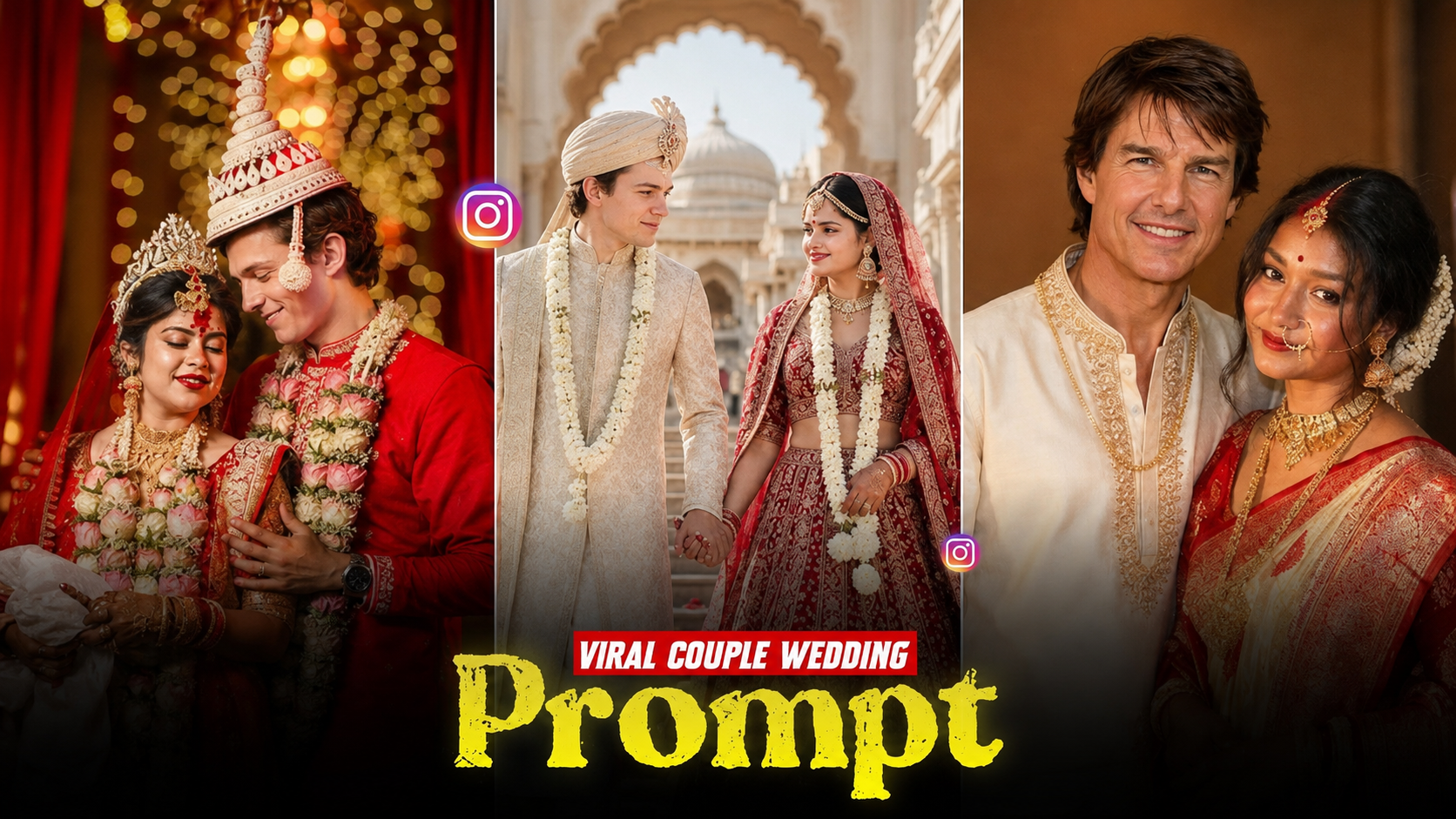
AI-generated videos have changed the way people create entertaining and visually impressive content. One of the latest trends is celebrity wedding AI videos, where creators use artificial intelligence to imagine a celebrity in a wedding scene, create cinematic portraits, and turn those images into realistic-looking videos.
These videos can be created for entertainment, storytelling, fan edits, social media posts, and creative projects. You don’t need expensive cameras, professional editing software, or a film crew. With the right AI tools and prompts, you can create a wedding-themed video from a simple image.
In this guide, you’ll learn how to create celebrity wedding AI videos step by step, including how to generate wedding images, write effective prompts, animate images, add music, create cinematic transitions, and optimize your final video for TikTok, Instagram Reels, YouTube Shorts, and other platforms.
Important: Celebrity AI videos should be clearly presented as fictional or fan-made content. Avoid making an AI-generated wedding video look like genuine news or an actual event, and don’t use it to mislead people.
What Is a Celebrity Wedding AI Video?
A celebrity wedding AI video is a digitally generated or AI-assisted video that places a celebrity—or a fictional representation of one—in a wedding-inspired scene.
For example, you could create a fictional cinematic sequence showing:
- A celebrity wearing traditional wedding clothing
- A celebrity walking toward a wedding stage
- A fictional bride and groom posing together
- A wedding ceremony with flowers and decorations
- A cinematic wedding photoshoot
- A celebrity-inspired character entering a luxury venue
- A romantic wedding montage
- A traditional cultural wedding scene
The AI can generate still images and then animate those images into short video clips.
The most important part is to make the fictional nature of the content clear, particularly when real celebrities are involved.
Why Are Celebrity Wedding AI Videos Trending?
AI video generation has become popular because it allows creators to produce scenes that would normally require a professional production team.
A traditional wedding video might require:
- A location
- Actors
- Wedding outfits
- Professional cameras
- Lighting
- Makeup
- Cinematography
- Video editing
- Special effects
AI can dramatically simplify the creative process.
You can start with an idea, generate a wedding image, animate it, and then combine several clips into a short video.
This makes the trend especially popular for social media creators.
What You Need to Create a Celebrity Wedding AI Video
You don’t need a powerful computer to get started. Most of the process can be completed using online AI tools.
You’ll generally need:
1. A Reference Image
Use an appropriate image that you have permission to use, or create a fictional celebrity-inspired character rather than using someone’s private image.
2. An AI Image Generator
An image generator can create the wedding scene.
3. An AI Video Generator
An image-to-video tool can animate the generated picture.
4. A Video Editor
Use an editor to combine your clips, add music, text, transitions, and effects.
5. Good Prompts
Your prompt determines much of the final appearance, so prompt writing is extremely important.
Step 1: Choose Your Celebrity Wedding Concept
Before opening an AI tool, decide what type of video you want to create.
Don’t simply start with:
“Celebrity wedding video.”
That’s too vague.
Instead, create a short concept.
For example:
Concept:
A fictional cinematic wedding photoshoot featuring a famous actor-inspired character wearing an elegant traditional outfit at a luxury wedding venue.
You can then expand the concept into several scenes.
Example Storyboard
Scene 1: Wedding venue exterior
Scene 2: Groom walking toward the stage
Scene 3: Bride entering the venue
Scene 4: Couple standing together
Scene 5: Close-up wedding portrait
Scene 6: Flower petals falling
Scene 7: Cinematic ending shot
Creating a storyboard first helps maintain consistency.
Step 2: Create the Wedding Image
The next step is generating your main wedding image.
Your prompt should describe:
- Character
- Clothing
- Location
- Lighting
- Camera angle
- Facial expression
- Background
- Mood
- Image quality
- Composition
For example:
AI Wedding Photo Prompt
“Create a cinematic fictional wedding portrait of a celebrity-inspired male character wearing an elegant traditional black and gold sherwani, standing inside a luxurious decorated wedding hall, warm golden lighting, beautiful floral arrangements, soft background bokeh, elegant wedding stage, cinematic photography, realistic fabric details, natural skin texture, professional wedding photography, shallow depth of field, dramatic composition, high detail.”
This gives the AI much more information than simply saying “make a celebrity wedding photo.”
Step 3: Generate Multiple Wedding Scenes
Don’t try to create the entire video from one image.
Instead, create several images that represent different moments.
This will make the final video much more dynamic.
Here are some useful prompts.
Wedding Stage Prompt
“A cinematic fictional celebrity-inspired wedding scene on an extravagant decorated stage, elegant floral arrangements, warm golden lights, luxurious backdrop, traditional wedding decorations, guests softly blurred in the background, professional wedding photography, realistic details, cinematic composition.”
Wedding Entry Prompt
“A fictional celebrity-inspired groom walking toward a beautifully decorated wedding stage, wearing a luxurious traditional sherwani, dramatic warm lighting, flower decorations, elegant guests in the background, cinematic wedding photography, natural movement implied, realistic details, shallow depth of field.”
Couple Portrait Prompt
“A fictional celebrity-inspired wedding couple standing together on a luxurious wedding stage, elegant traditional wedding clothing, beautiful floral decorations, warm cinematic lighting, romantic atmosphere, professional wedding photography, realistic facial details, soft bokeh background, high-detail cinematic portrait.”
Close-Up Portrait Prompt
“Cinematic close-up wedding portrait of a fictional celebrity-inspired groom, elegant traditional clothing, subtle smile, warm golden lighting, detailed fabric embroidery, realistic skin texture, luxury wedding background softly blurred, professional photography, shallow depth of field.”
Step 4: Keep the Character Consistent
One of the biggest problems with AI-generated videos is character inconsistency.
The face may change between images.
The clothing may change.
The hairstyle may suddenly become different.
The solution is to establish a consistent visual description.
For example, keep these details identical:
- Hair style
- Hair color
- Beard style
- Outfit
- Accessories
- Age appearance
- Facial characteristics
- Color palette
- Wedding location
You can also use the same reference image where the AI tool supports reference-image functionality.
Consistency Prompt
Add instructions such as:
“Maintain the same character appearance, hairstyle, facial structure, beard style, outfit design, and overall visual identity across all scenes.”
This doesn’t guarantee perfect consistency, but it can help.
Step 5: Turn the Image Into a Video
Once you have your wedding images, the next step is animation.
This is where image-to-video AI becomes useful.
Upload one image and describe the movement you want.
For example:
“Slow cinematic camera push toward the wedding couple, subtle natural movement, gentle fabric movement, soft flower petals falling in the background, realistic lighting, smooth professional wedding cinematography.”
The AI can then generate a short video clip based on your image.
Best Image-to-Video Prompts
The key is to describe movement, rather than repeating the entire image description.
Camera Zoom
“Slow cinematic camera push-in toward the subject, subtle natural movement, realistic lighting, smooth professional cinematography.”
Walking Scene
“The character slowly walks toward the wedding stage while the camera smoothly tracks backward, subtle clothing movement, realistic body motion, cinematic wedding cinematography.”
Romantic Scene
“The couple gently turns toward each other and smiles naturally while the camera slowly moves around them, soft cinematic lighting, subtle background movement.”
Flower Scene
“Soft flower petals gently fall around the couple while the camera slowly pans from left to right, realistic motion, elegant wedding atmosphere.”
Step 6: Avoid Excessive AI Movement
One common mistake is asking AI to perform too many actions simultaneously.
For example:
“The couple walks, dances, hugs, talks, turns around, waves at the camera and throws flowers.”
This can produce strange results.
Instead, keep each clip simple.
For example:
“The couple slowly turns toward each other and smiles.”
Simple movement generally gives you better control.
Step 7: Create a Cinematic Wedding Sequence
Now generate several short clips.
A 20–30 second video could look like this:
Clip 1 — 3 Seconds
Luxury wedding venue exterior.
Clip 2 — 4 Seconds
Groom walking toward the stage.
Clip 3 — 4 Seconds
Bride entering the venue.
Clip 4 — 5 Seconds
Couple standing together.
Clip 5 — 4 Seconds
Close-up portrait.
Clip 6 — 5 Seconds
Flower petals falling.
Clip 7 — 3 Seconds
Wide cinematic wedding shot.
You can combine these clips in a video editor.
Step 8: Edit the AI Clips
After generating your clips, import them into your preferred video editing application.
Arrange them according to your storyboard.
Then add:
- Transitions
- Music
- Sound effects
- Slow motion
- Zoom effects
- Color adjustments
- Text
- Captions
- Cinematic overlays
Don’t overload the video with effects.
A clean edit usually looks more professional.
Step 9: Add Wedding Music
Music can completely change the atmosphere of your AI wedding video.
Choose music that matches the concept.
For example:
Luxury Wedding
Use elegant instrumental music.
Traditional Wedding
Use culturally appropriate instrumental music.
Romantic Story
Use soft cinematic music.
Dramatic Wedding
Use orchestral or emotional background music.
Make sure you have permission to use the music, particularly if you’re uploading the video commercially.
Step 10: Add Text to Your Video
Text can make the video more engaging.
Instead of presenting the AI video as real, use transparent wording such as:
“AI Fan Concept”
or
“Fictional AI Wedding Scene”
You could also add:
“What if this celebrity had a cinematic wedding?”
This makes the creative nature of the video clear.
Step 11: Create a Vertical Video for Social Media
If your goal is TikTok, Instagram Reels, or YouTube Shorts, create your project in a vertical format.
A common format is:
9:16
For example:
1080 × 1920 pixels
Keep important subjects near the center because different platforms may crop parts of the video.
Step 12: Make the First Three Seconds Interesting
The beginning of your video is extremely important.
Instead of starting with a long title, start with your most impressive shot.
For example:
Opening shot:
A dramatic wedding venue with the celebrity-inspired character walking toward the stage.
Then add a small label:
“AI Fan-Made Wedding Concept”
This can immediately tell viewers what they’re watching.
Step 13: Use Cinematic Camera Movements
Camera movement can make an AI video look much more professional.
Try these movements:
Slow Push-In
The camera gradually moves closer to the subject.
Dolly-Out
The camera slowly moves backward to reveal the environment.
Side Tracking
The camera moves sideways while following the subject.
Orbit Shot
The camera slowly moves around the couple.
Tilt-Up
The camera begins lower and gradually moves upward.
Wide Reveal
Start close to the subject and reveal the entire wedding venue.
Step 14: Use Negative Prompts When Available
Some AI image generators support negative prompts.
These can help reduce unwanted problems.
For example:
“blurry face, distorted hands, extra fingers, duplicate people, deformed body, unnatural eyes, distorted clothing, low resolution, bad anatomy, text, watermark”
Results vary between AI models, so don’t assume every negative prompt will work equally well.
Step 15: Improve the Final Video Quality
AI-generated videos can sometimes look soft or artificial.
You can improve the final result by using:
- Higher-resolution generation
- Image enhancement
- Video upscaling
- Sharpening
- Subtle film grain
- Better lighting
- Consistent color grading
Avoid excessive sharpening because it can make faces look unnatural.
Celebrity Wedding AI Video Prompt Template
You can use this template to create your own prompts:
“Create a cinematic fictional wedding scene featuring [celebrity-inspired character], wearing [outfit], inside [location]. The character is [action]. Include [decorations], [lighting], and [background]. Professional wedding cinematography, realistic details, natural facial expression, shallow depth of field, cinematic composition, smooth visual style, high detail.”
For animation:
“Animate the scene with [movement]. Use a slow [camera movement], subtle natural motion, realistic clothing movement, cinematic lighting, smooth camera motion, professional wedding cinematography.”
Example: Complete AI Wedding Video Prompt
Here’s an example of how you could build a complete concept.
Scene 1
“Luxury wedding venue at night, thousands of warm lights, elegant floral decorations, cinematic establishing shot, fictional wedding setting.”
Scene 2
“Fictional celebrity-inspired groom wearing an elegant black and gold sherwani walking toward the wedding stage, warm golden lighting, cinematic wedding photography.”
Scene 3
“Fictional celebrity-inspired bride entering the wedding venue in an elegant traditional outfit, beautiful floral decorations, soft cinematic lighting, guests blurred in background.”
Scene 4
“Fictional wedding couple standing together on a luxurious stage, smiling naturally, flower petals falling, cinematic lighting.”
Scene 5
“Close-up portrait of the fictional wedding couple, detailed traditional clothing, warm golden bokeh, professional wedding photography.”
Scene 6
“Wide cinematic view of the wedding venue with the fictional couple on stage, soft lights and flower petals, elegant atmosphere.”
Generate each scene separately and combine the clips afterward.
How to Make the Video Look More Realistic
Realism doesn’t come from adding the word “realistic” repeatedly.
Instead, describe believable details.
For example:
- Natural lighting
- Realistic shadows
- Correct body proportions
- Natural facial expressions
- Subtle clothing movement
- Realistic depth of field
- Background people slightly out of focus
- Natural camera movement
- Consistent wardrobe
The more specific your visual direction is, the more control you generally have.
Common Mistakes to Avoid
1. Using One Image for the Entire Video
A single image can become repetitive.
Create several scenes instead.
2. Using Complicated Prompts
Long prompts aren’t automatically better.
Focus on the important visual details.
3. Changing the Character Between Scenes
Maintain the same visual description and reference image whenever possible.
4. Too Much Camera Movement
Extreme movement can cause distorted faces and bodies.
Start with slow, simple movements.
5. Making AI Content Look Like Real News
Don’t present a fictional celebrity wedding as an actual event.
Clearly label it as AI-generated or fan-made content.
6. Using Copyrighted Music Without Permission
Choose properly licensed music for commercial projects.
7. Adding Too Many Effects
Too many transitions, flashes, and overlays can make the video look less professional.
How to Make Celebrity Wedding AI Videos Go Viral
Creating the video is only half the process.
You also need an engaging presentation.
Keep It Short
Short-form videos often work well when every second has a purpose.
Use High-Quality Visuals
Your first frame should immediately look interesting.
Add Captions
Many people watch social videos without sound.
Create a Story
Instead of showing random AI images, create a beginning, middle, and ending.
SEO Tips for Celebrity Wedding AI Videos
If you’re publishing your tutorial or video on a website, use relevant keywords naturally.
Primary Keyword
celebrity wedding AI video
Secondary Keywords
- how to create celebrity wedding AI videos
- AI wedding video generator
- celebrity AI wedding video
- AI wedding video editing
- AI celebrity video
- AI wedding photos
- AI image to video
- AI wedding animation
- cinematic AI wedding video
- fictional celebrity wedding video
Avoid stuffing keywords into every sentence.
Instead, create useful content that naturally answers the reader’s questions.
Final Thoughts
Creating celebrity wedding AI videos is an exciting way to combine AI image generation, animation, and video editing. You can start with a simple concept, create several wedding images, animate them with image-to-video AI, and combine the resulting clips into a cinematic short video.
The key to getting better results is planning. Create a storyboard before generating anything, keep your character appearance consistent, use simple animation instructions, and focus on realistic camera movement.
Most importantly, remember that celebrity wedding videos involving real people should be treated as fictional AI or fan-made creations, not genuine wedding announcements. A clear label such as “AI-generated fictional concept” helps viewers understand what they’re seeing.
For More Information Visit