AI-generated movie-style videos are becoming a creative way to produce cinematic action scenes, dramatic character introductions, stylish transitions, and powerful short-form edits. One popular source of inspiration is Jailer, the Tamil action thriller known for its intense atmosphere, dramatic character moments, stylish presentation, and memorable background music.
With AI image generators, AI video tools, and mobile editing apps, you can create your own Jailer-inspired videos without owning a professional camera or having access to a film studio. You can generate a fictional action hero, place the character in a dramatic environment, animate the scene, and combine multiple clips into a polished video for YouTube Shorts, Instagram Reels, TikTok, or Facebook.
In this guide, you will learn how to create AI Jailer style videos step by step, which tools to consider, how to write effective AI prompts, how to edit cinematic scenes, and how to improve your videos for social media.
What Are AI Jailer Style Videos?
AI Jailer style videos are cinematic edits inspired by the visual atmosphere of action films such as Jailer. These videos often feature dramatic lighting, confident hero entrances, slow-motion walks, smoky backgrounds, intense facial expressions, stylish clothing, and powerful camera movements.
Instead of recreating an entire movie scene, creators can use AI to develop original characters and scenes with a similar broad action-film mood.
Popular ideas include:
-
A fictional hero walking confidently through a smoky street.
-
A cinematic character entrance with dramatic lighting.
-
An older action hero standing in front of a luxury car.
-
A slow-motion walk through a rain-soaked city.
-
A dramatic transformation from an ordinary person into an action hero.
-
A group of fictional characters appearing in a stylish action sequence.
-
A movie-poster-style image transformed into a short animated video.
The main objective is to create a visually engaging video that captures the energy of cinematic action storytelling while adding your own creative ideas.
AI tools can produce impressive results, but they may also create inconsistent faces, unnatural movement, or visual distortions. Careful prompting and editing help improve the final result.
Step-by-Step Guide to Create AI Jailer Style Videos
Step 1: Choose Your Video Concept
Start by deciding what kind of video you want to make. A strong concept makes the rest of the process easier.
For example, you could create a powerful hero entry, a dramatic street scene, a cinematic character transformation, or a funny action parody.
If you are targeting short-form platforms, choose one clear idea instead of trying to fit an entire movie into a 15-second clip.
Step 2: Generate a Cinematic Character Image
Use an AI image generator to create an original fictional action hero. Think about the character’s hairstyle, clothing, facial expression, environment, and lighting.
A dark suit, sunglasses, warm backlighting, and a smoky street can create an action-film atmosphere without copying a particular movie frame.
For consistent results, save your preferred character image and reuse it as a reference when your AI tool supports image guidance.
Step 3: Write a Detailed AI Video Prompt
A detailed prompt helps the generator understand the scene. Include the character’s appearance, movement, setting, camera angle, lighting, and visual style.
Step 4: Animate the Image
Open your chosen AI video generator and select image-to-video if the feature is available.
-
Upload your original character image.
-
Paste your video prompt.
-
Choose a short clip duration.
-
Select a vertical aspect ratio if you are creating a Reel or Short.
-
Generate the animation and check the result.
Look for realistic walking movements, stable facial features, and consistent clothing. If the character’s face changes or the movement looks unnatural, simplify the prompt and generate another version.
Create separate clips for different camera angles rather than asking the AI to generate many complicated actions at once.
Step 5: Create Multiple Cinematic Scenes
A professional-looking edit often benefits from a few short scenes.
For example:
-
Scene 1: A wide shot of a mysterious street at night.
-
Scene 2: The hero’s shoes stepping onto the road.
-
Scene 3: A close-up showing the character’s confident expression.
-
Scene 4: A slow-motion walk toward the camera.
-
Scene 5: A final pose with dramatic lighting.
Generate each scene separately and maintain a consistent character reference. This approach gives you more control over pacing and makes it easier to replace a weak clip.
Step 6: Edit Your Video in CapCut
Import your generated clips into CapCut or another video editor. Arrange them in the correct order and remove unnecessary pauses.
Try these editing techniques:
-
Use slow motion for a dramatic entrance.
-
Add subtle zooms to emphasize facial expressions.
-
Apply consistent color grading across the clips.
-
Use quick cuts to match the music’s rhythm.
-
Add short captions to highlight the story.
-
Use transitions sparingly to keep the action clear.
Avoid adding so many effects that viewers lose sight of the main character. Strong composition and timing are usually more important than excessive visual filters.
Step 7: Add Background Music and Sound Effects
Music helps establish the mood of a cinematic video. Choose a powerful instrumental soundtrack, dramatic percussion, or another track that suits your concept.
If you want to use music from Jailer, including its original background score, check the licensing requirements and use it only when you have the necessary rights or an authorized platform license. Music availability on one platform does not automatically permit use on another.
You can also use appropriately licensed royalty-free music. Add subtle footsteps, whooshes, or cinematic impacts to emphasize movement, but keep the sound balanced.
Tips to Make Your AI Action Videos More Engaging
Start with a Strong Hook
Show the most visually interesting moment early in the video. A mysterious silhouette, a dramatic entrance, or an unexpected transformation can encourage viewers to keep watching.
Keep Your Scenes Short
Try a 10–20-second edit as a starting point. This is not a guaranteed formula for viral success, but it gives you a useful length for testing different concepts.
Maintain Visual Consistency
Use similar lighting, clothing, and character references throughout the video. Major changes in the character’s face or appearance can make separate AI clips feel disconnected.

Video Prompt
Prompt:
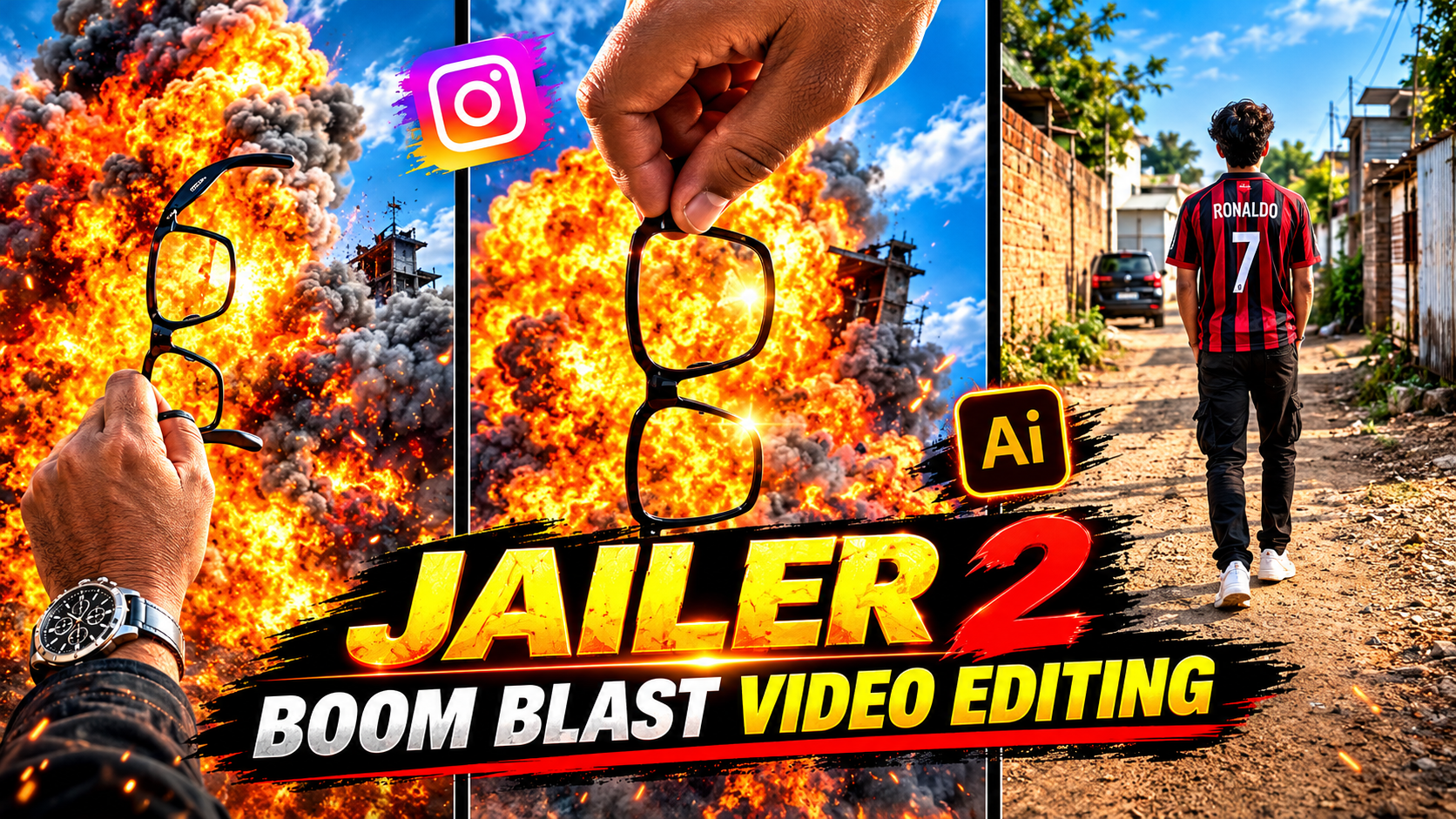
Use the uploaded photo as the exact reference frame. Create a realistic cinematic VFX shot where the objects and background elements behind the hand suddenly burst apart in a dramatic visual explosion effect. The blast should remain strictly in the background and look like a movie-style CGI/VFX effect, with flying dust, small debris, smoke and a brief flash.
IMPORTANT:
– The hand in the foreground must remain completely unchanged.
– The eyeglasses being held in the hand must NOT explode, break, move, deform, or change in any way.
– Keep the exact camera angle, framing, road, lighting, environment and overall composition from the reference image.
– Do not alter the person’s hand or fingers.
– Keep the background explosion realistic and physically convincing, but clearly as a cinematic visual effect.
– Add subtle camera shake only at the moment of the blast.
– No people are harmed or shown injured.
– Photorealistic, high-detail, cinematic VFX, natural lighting, realistic smoke and debris.
Optimize for Mobile Viewing
Use vertical framing, readable captions, and a clear subject. Keep important visual elements away from the edges where platform controls may cover them.
Learn from Audience Analytics
Review watch time, completion rate, shares, and comments where available. Experiment with different openings and scene lengths to understand which edits resonate with your audience.
Common Mistakes to Avoid
-
Using low-quality reference images.
-
Writing vague prompts without describing the movement.
-
Trying to fit too many actions into a single AI clip.
-
Using copyrighted music without the necessary permission.
-
Adding too many transitions and visual effects.
-
Expecting every generated clip to look realistic on the first attempt.
-
Copying existing movie footage or another creator’s work without appropriate rights.
-
Assuming that hashtags alone will make a video viral.
Use original characters and scenes whenever possible. If you use a real person’s likeness, obtain appropriate permission and avoid misleading viewers about whether the scene is real or AI-generated. Follow applicable platform disclosure rules.
Conclusion
Creating AI Jailer style videos is an exciting way to combine cinematic storytelling, artificial intelligence, and creative editing. By designing an original action hero, writing a detailed prompt, generating short clips, adding suitable music, and polishing the result in a video editor, you can create compelling action-inspired content without a professional film studio.
Start with a simple hero-entry scene and gradually experiment with camera movements, lighting, different environments, and creative storylines. Focus on originality, consistent visuals, and clean editing rather than relying on effects alone.
For More Click Here