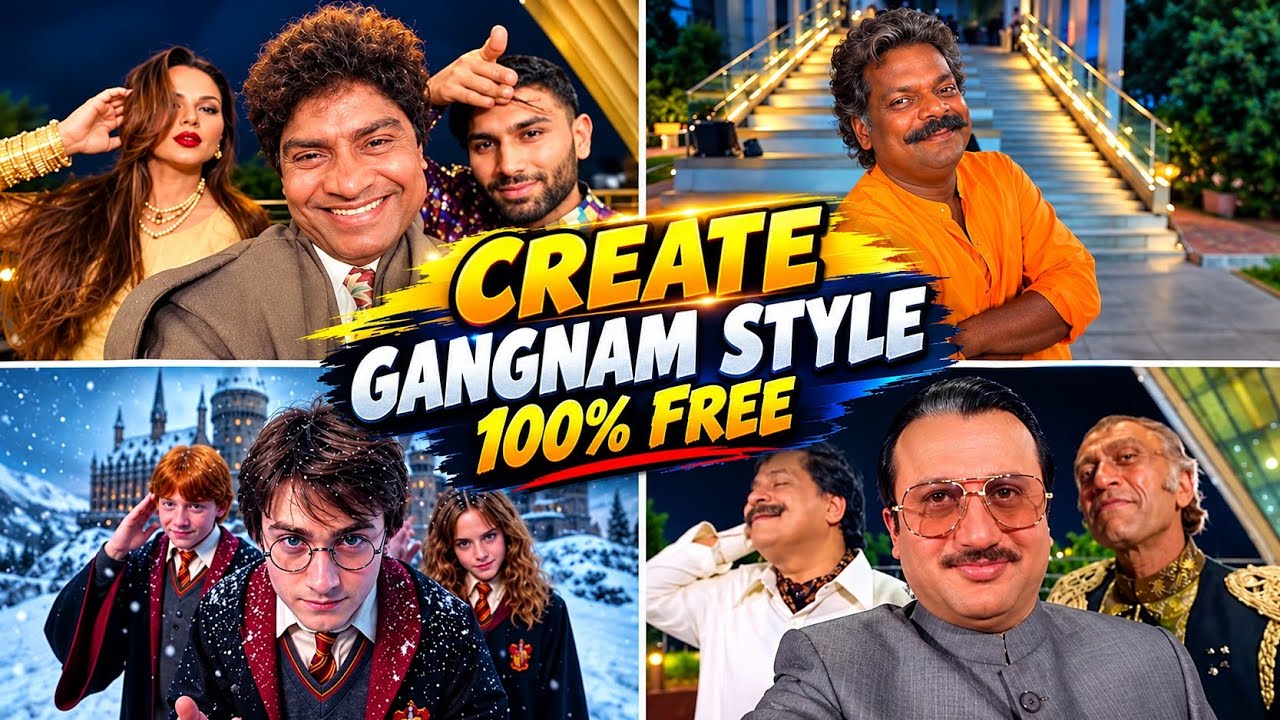
The Gangnam Style dance became a worldwide sensation because of its energetic movements, humorous performance, and instantly recognizable dance style. Today, AI video tools make it possible for creators to experiment with similar playful dance videos using fictional characters, animated avatars, creative transformations, and cinematic effects.
If you want to learn how to make AI Gangnam Style trending videos, you can use AI image generation, image-to-video animation, and a mobile video editor to create entertaining content for TikTok, Instagram Reels, Facebook Reels, and YouTube Shorts.
You do not need professional filming equipment or advanced animation skills. With a suitable character image, a clear AI prompt, and a few editing techniques, you can create a fun dance video with energetic movements and a recognizable visual style.
In this guide, you will learn how to create an AI dance character, animate the movements, write effective prompts, synchronize the video with music, and edit your final result for social media.
What Is an AI Gangnam Style Trending Video?
An AI Gangnam Style video is an AI-generated or AI-animated dance video inspired by the playful energy and horse-riding-style movements associated with the famous Gangnam Style dance.
Instead of filming a person performing every movement, creators can use AI tools to animate a fictional character, avatar, cartoon figure, or suitable reference photo.
These videos can feature:
- AI-generated characters performing a playful dance
- Funny character transformations
- Cartoon-style dance animations
- Matching outfits and coordinated movements
- AI characters dancing in unusual locations
- Before-and-after visual transitions
- Beat-synchronized editing
- Creative dance challenges
The main attraction is the combination of familiar dance-inspired movements, humor, and unexpected visual transformations.
You can create an original version with your own fictional character instead of copying another creator’s video exactly.
Why Are AI Dance Trend Videos Popular?
Dance videos are easy to understand without a long explanation. A viewer can recognize the movement, understand the joke, and enjoy the visual result within a few seconds.
AI tools expand the creative possibilities by allowing creators to experiment with different characters, backgrounds, outfits, and animation styles.
Some features that can make an AI dance video entertaining include:
Funny characters: A serious-looking character performing a playful dance can create an unexpected contrast.
Creative settings: You can place a fictional dancer in a futuristic city, colorful studio, or cartoon environment.
Visual transformations: A normal portrait can transition into an animated dancer.
Music synchronization: Matching movements and cuts to the rhythm makes the video feel more cohesive.
Short-form storytelling: A simple setup followed by a funny dance can communicate an idea quickly.
However, there is no guaranteed formula for going viral. Originality, editing quality, audience interest, and platform distribution all influence how a video performs.
What You Need to Create an AI Gangnam Style Video
Before you begin, prepare these basic elements.
1. An AI Character or Reference Image
You can create a fictional character with an AI image generator or use a photo that you own or have permission to animate.
2. An AI Video Generator
An image-to-video tool can transform a still image into an animated clip. Some tools also support character motion, camera movement, and reference videos.
3. A Video Editing App
An editing app helps you combine clips, add music, create transitions, and export the finished video.
4. Suitable Music
Choose original, licensed, or platform-authorized audio. Do not assume that a song is free to use simply because it is popular on social media.
5. A Simple Dance Concept
Decide whether your video will be funny, realistic, cartoon-like, futuristic, or focused on a character transformation.
Step 1: Choose Your AI Dance Video Idea
First, decide what makes your video different.
Here are some concepts you can try.
Funny AI Character Dance
Create a fictional character wearing a formal suit who suddenly performs a playful dance.
AI Cartoon Dance
Animate an original cartoon character with exaggerated movements and expressive reactions.
AI Robot Dance
Create a fictional robot attempting a humorous human-style dance.
AI Animal-Inspired Dance
Create a cartoon animal performing a playful dance routine.
AI Transformation Dance
Start with an ordinary character and transform the character into a colorful dance performer.
AI Group Dance
Create several fictional characters performing coordinated movements in a bright, energetic setting.
For your first attempt, choose one character and one simple dance idea. This makes the animation easier to control.
Step 2: Create Your AI Dance Character
If you do not have a suitable image, start by generating a full-body character.
A full-body image is useful because dance movements involve the arms, legs, and torso.
Use this AI image prompt:
You can change the outfit to suit your creative idea.
For example, try a futuristic suit, casual streetwear, a colorful cartoon costume, or a retro-inspired performance outfit.
Choose an image with clearly visible arms and legs. Images with cropped feet or hidden hands can make full-body animation more difficult.
Step 1: Download the Muted Reference Videos
The original video is 20 seconds long, but Google Flow makes only about 10 seconds at a time. So, the video is already split into two muted parts for you. The same MediaFire folder also has the full original video with sound, which you will use only at the end for the music.
- Part 1 – first 10 seconds, muted (upload in Flow).
- Part 2 – last 10 seconds, muted (upload in Flow).
- Original video with sound – only for the song in Step 5. Never upload it in Flow.
Step 3: Write an AI Dance Animation Prompt
Once your character image is ready, upload it to an AI video tool that supports image-to-video generation.
Describe the movement clearly rather than simply writing “make this character dance.”
Try this prompt:
This prompt focuses on a general dance-inspired style while allowing you to create your own choreography.
The exact result will depend on the AI tool. If the character’s legs or arms move unnaturally, try a simpler prompt or generate a shorter clip.
Gangnam Style Trend Prompt :
Swap the characters in the original video with the reference persons from the provided images. Replace Character 1 with the person from Image 1, Character 2 with the person from Image 2, and Character 3 with the person from Image 3.
Each character’s face, body, skin tone, facial features, hair, and overall physical appearance must be an exact 1:1 match to their respective reference images – do not alter, modify, or reinterpret any physical trait. The identity of each person must be preserved with complete accuracy as shown in the reference images.
Replace the outfits of each character entirely with the clothing shown in their respective reference images. Preserve every detail of the outfit including fabric texture, color, cut, styling, accessories, and garment fit exactly as seen in the reference images. The original video’s costumes must be completely replaced.
Preserve all facial expressions, body movements, gestures, poses, camera angles, lighting, and background exactly as they appear in the original video. Only the faces, physical identity, and outfits of the characters should change. Everything else motion, timing, scene composition, and environment – must remain 100% identical to the source video.
Remove all text, watermarks, logos, subtitles, and overlays present in the original video. The final output must be completely clean with no text or graphics visible anywhere in the frame.
Step 4: Create the Signature Dance-Inspired Movement
A recognizable dance-inspired video needs clear, repeatable movement.
You can build an original sequence using a few simple actions:
- Begin with the character standing confidently.
- Add a rhythmic side-to-side movement.
- Introduce coordinated arm gestures.
- Add a playful step or small turn.
- Finish with a memorable pose.
You do not need complicated choreography. Simple movements can be easier for AI tools to animate consistently.
For a more energetic result, generate separate clips for the opening pose, main dance movement, and ending pose.
Then combine them during editing.
Step 5: Use a More Detailed AI Video Prompt
If your first animation looks too stiff, try adding details about pacing, framing, and movement.
AI Dance Video Prompt:
Avoid requesting too many actions at once. A prompt that combines running, jumping, spinning, changing clothes, and dancing may produce inconsistent results.
Start with one movement sequence and add complexity only when needed.
Step 6: Animate Different Dance Scenes
You can make the final video more interesting by generating several short scenes.
For example:
Scene 1: The Introduction
The character looks toward the camera and adopts a confident pose.
Scene 2: The Dance Begins
The character performs simple rhythmic arm and leg movements.
Scene 3: The Funny Moment
The character makes a playful pose or performs an exaggerated movement.
Scene 4: The Final Pose
The character finishes with a confident expression and a memorable ending.
Keep the same reference image and character description wherever possible.
This helps maintain visual consistency across different generations.
Step 7: Create an AI Group Dance Video
If you want multiple characters in your video, begin with a simple group composition.
Use this prompt:
Group animation can be more difficult than animating one character because the AI must maintain the positions and movements of several subjects.
If the results look distorted, generate individual character clips and assemble them in your editor.
Step 8: Add the Right Music
Music helps establish the mood and gives you a rhythm to follow when editing.
You can use:
- Platform-authorized music
- Licensed tracks
- Original music
- Properly licensed dance music
- Audio you have permission to use
If you specifically want to use the original Gangnam Style recording, check the applicable licensing and platform music options before publishing.
Copyright rules can vary depending on the song, platform, account type, territory, and how the music is used.
You can also create a new dance video using a different track with a similar upbeat energy.
Step 9: Synchronize the Dance With the Beat
Once your clips are ready, import them into your video editor.
Listen to the music and identify the most noticeable beats or musical changes.
Then align important movements with those moments.
For example:
- Opening beat: character appears.
- First strong beat: dance movement begins.
- Next beat: character changes pose.
- Musical accent: cut to another camera angle.
- Final beat: character performs the ending pose.
You can also synchronize zoom effects and transitions with the rhythm.
Avoid making every cut identical. A combination of quick transitions and longer dance shots can make the video feel more natural.
Step 10: Add Funny Transitions and Effects
Transitions can help turn several short AI clips into a complete video.
Useful effects include:
Zoom transition: Move quickly toward the character before revealing the next scene.
Flash transition: Use a brief flash to connect two shots.
Motion blur: Create the feeling of movement between clips.
Background transformation: Change the scene from a simple studio to a futuristic or colorful environment.
Before-and-after effect: Show the original character before revealing the animated dance version.
Use effects carefully. Too many flashes, shakes, or distortions can make the dance difficult to follow.
Step 11: Edit the Final Video for Social Media
After generating the animation, follow this basic editing workflow:
- Open your video editor.
- Create a vertical project.
- Import your AI-generated clips.
- Arrange them in the correct order.
- Trim unnecessary frames.
- Add your chosen music.
- Synchronize cuts with the rhythm.
- Add simple transitions.
- Adjust brightness and contrast.
- Preview the video from beginning to end.
- Remove any distracting AI artifacts.
- Export the final video.
A common format for TikTok, Instagram Reels, and YouTube Shorts is 9:16 vertical video at 1080 × 1920 resolution.
Keep the full-body character inside the frame so the dance movements remain visible.
Step 12: Make Your Video More Entertaining
A good AI dance video should have a clear visual idea.
Consider these practical tips:
Start quickly: Avoid a long introduction before the dance begins.
Keep the movement visible: Do not crop out the character’s feet or hands.
Use a funny contrast: A serious-looking fictional character performing a playful dance can be entertaining.
Maintain character consistency: Reuse the same reference image and visual description.
Keep effects under control: The dance should remain the main attraction.
Give the video a strong ending: Finish with a memorable pose, transformation, or humorous visual moment.
Common AI Dance Video Problems
AI-generated dance clips can contain mistakes, especially during complicated movements.
Distorted Hands or Feet
Use simpler choreography and select images where the full body is clearly visible.
Changing Character Appearance
Reuse the reference image and repeat the same clothing, hairstyle, and character details.
Unnatural Movement
Generate shorter clips with one main action rather than asking for a complete dance routine in one generation.
Poor Group Synchronization
Try animating individual characters separately and combining their clips during editing.
Unclear Transitions
Trim the clips carefully and align the scene changes with the music.
Generating several variations and choosing the cleanest one is often more effective than trying to repair every problem in post-production.
AI Gangnam Style Video Ideas
Once you understand the workflow, experiment with these original concepts:
- AI Retro Dance: A fictional performer dances in a colorful retro setting.
- AI Robot Dance: A robot performs a playful human-inspired routine.
- AI Cartoon Dance: An animated character dances in a bright cartoon environment.
- AI Outfit Transformation: A character changes from casual clothing to a performance outfit.
- AI Group Dance: Several fictional characters perform coordinated movements.
- AI Office Dance: A fictional office worker breaks into a playful dance.
- AI Futuristic Dance: A character performs in a neon-lit science-fiction environment.
- AI Dance Before and After: A still portrait transforms into a fully animated dance scene.
These concepts let you explore the general dance-trend aesthetic while developing your own style.
Final Thoughts
Creating AI Gangnam Style trending videos is a fun way to explore AI animation and short-form video editing. With a clear character image, a carefully written prompt, simple dance movements, and music synchronization, you can turn a still image into an entertaining dance clip.
Start with one fictional character and a short movement sequence. Once you are comfortable with the results, experiment with group dances, funny transformations, colorful backgrounds, and different camera angles.
The most important thing is to keep the movement visible, make the concept easy to understand, and develop an original version of the trend. AI tools can help you bring your ideas to life, but creative direction and thoughtful editing are what turn separate clips into a finished video.
For More Click Here