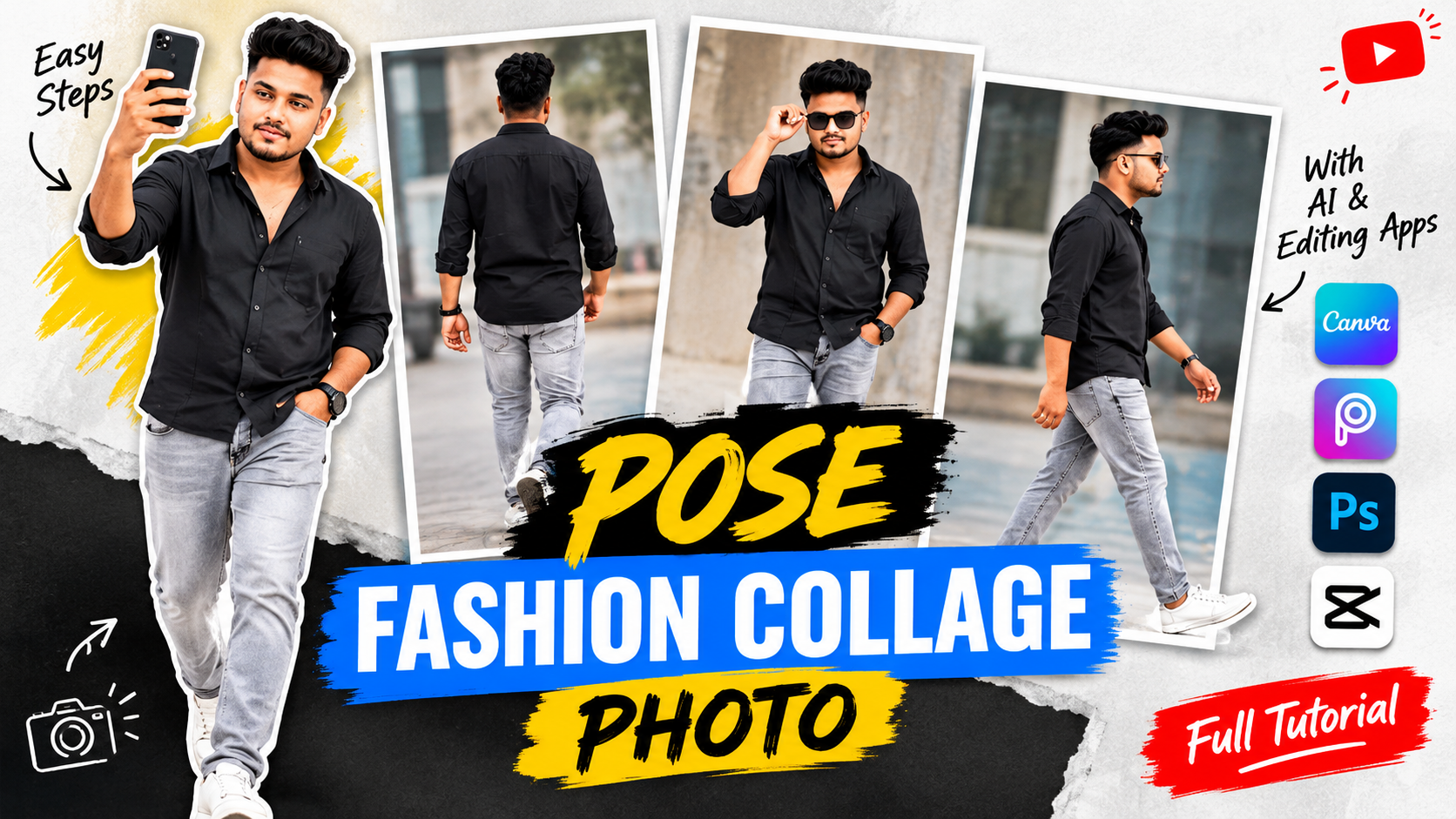
The best thing about this trend is that you do not need an expensive camera or professional photography studio. With a smartphone, a few photographs, and the right editing tools, you can create impressive fashion collages at home. AI tools can also help you experiment with different poses, backgrounds, clothing styles, and photography concepts.
In this guide, you will learn how to create pose fashion collage photos step by step, which apps to use, how to write effective AI prompts, and how to make your final images look professional.
What Are Pose Fashion Collage Photos?
Pose fashion collage photos are creative images that combine several photographs of a person in different poses into one design. Instead of displaying a single portrait, you can showcase multiple angles, outfits, expressions, and body positions in an organized layout.
For example, imagine a fashion collage featuring the same person in four different poses: standing confidently, walking naturally, sitting on a chair, and looking over their shoulder. When these images are arranged with coordinated colors and attractive spacing, they create a stylish editorial composition.


This type of photography is popular because it tells a visual story while displaying more details about the model and outfit.
Fashion pose collages can be used for:
-
Instagram and Facebook fashion posts.
-
AI-generated fashion photography projects.
-
Fashion brand advertisements.
-
Personal modeling portfolios.
-
Outfit inspiration and styling guides.
-
YouTube thumbnails and Pinterest graphics.
-
Profile pictures, posters, and digital art.
The main objective is to create a balanced design in which every photograph complements the others.
How to Create Pose Fashion Collage Photos Step by Step
Follow these steps to create your own fashionable collage, even if you are new to photo editing.
Step 1: Choose Your Fashion Theme
Before opening an editing application, decide what type of fashion collage you want to make. A clear theme will help you choose suitable outfits, poses, backgrounds, and colors.
Here are four popular ideas.

Streetwear fashion
Use oversized hoodies, cargo pants, sneakers, denim jackets, and urban backgrounds. This style works well for youthful social media content.

Luxury fashion
Choose tailored suits, elegant accessories, and dramatic studio lighting. Neutral colors create a sophisticated appearance.

Casual fashion
Use simple outfits, relaxed expressions, and natural outdoor lighting to create an everyday lifestyle aesthetic.

Editorial fashion
Experiment with unusual poses, dramatic shadows, bold outfits, and magazine-inspired layouts.
Choose one theme and maintain it throughout the collage. Combining unrelated styles can make the final design look disorganized.
Step 2: Select a High-Quality Photo
If you want the collage to feature yourself or a particular model, start with a clear reference photograph.
A good reference image should have visible facial features, natural lighting, and sufficient resolution. If your collage includes full-body poses, use a photograph that clearly shows the model’s body proportions and clothing.
For better results:
-
Avoid blurry or heavily compressed images.
-
Choose a photograph with a natural expression.
-
Use a simple background when possible.
-
Make sure the clothing is visible.
-
Use an image you own or have permission to edit.
If you plan to showcase several outfits, prepare separate reference photographs for each look.
Step 3: Create Different Fashion Poses
The most attractive fashion collages feature a variety of poses. Repeating the same standing position in every photograph can make the design look boring.
Try these five poses:
-
Standing pose: Stand straight with relaxed shoulders and one hand in a pocket.
-
Walking pose: Capture a natural step to make the image look dynamic.
-
Side-profile pose: Turn your body slightly to emphasize the outfit’s silhouette.
-
Seated pose: Sit on a chair, bench, or platform for a relaxed editorial look.
-
Close-up pose: Focus on the face, hairstyle, accessories, and upper clothing.
You can take these photographs yourself or generate pose variations with an AI tool.
For consistent results, use the same reference image and outfit description whenever possible. AI-generated images may change facial details, hairstyles, body proportions, or clothing between generations, so inspect each image before including it.
Step 4: Generate Images Using an AI Prompt
AI prompts help you describe the fashion style, pose, lighting, background, and layout you want.
A useful prompt should include:
-
The subject and clothing.
-
The number of poses.
-
The desired background.
-
The photography style.
-
The lighting and color palette.
-
The collage layout and aspect ratio.
Here is a ready-to-use prompt for creating a stylish fashion pose collage.
AI Fashion Collage Prompt
Copy the prompt and customize the outfit or background.
Create a premium editorial fashion pose collage featuring the same male model in four distinct poses. The model wears a stylish black oversized jacket, white T-shirt, tailored dark trousers, and modern sneakers. Include a confident standing pose, a natural walking pose, a seated pose, and a side-profile portrait. Arrange the photographs in a sophisticated magazine-style layout with balanced spacing, subtle off-white backgrounds, realistic fabric textures, natural skin details, soft cinematic lighting, sharp focus, accurate anatomy, and a cohesive color palette. Use a vertical 4:5 composition suitable for Instagram. Keep the design modern, realistic, elegant, and visually consistent. Avoid distorted hands, inconsistent clothing, unnecessary text, and watermarks.
Copy AI prompt
If the generator cannot produce four consistent poses in one image, generate the photographs separately and arrange them using Canva, Picsart, or Photoshop. This approach often gives you more control over facial consistency, image placement, and overall quality.
Step 5: Remove Backgrounds
Background removal can help create a clean fashion collage, especially when you want to place a model against a different color or overlapping photographs.
Import your image into a suitable editing app and use its background removal feature if available. Check the edges around the hair, shoulders, hands, and clothing because these areas can sometimes look rough after automatic removal.
Choose a background that complements the outfit. White, gray, beige, and black backgrounds work well for many editorial designs.
For a streetwear collage, you can retain an urban background. For luxury fashion, a simple studio background may look more polished.
Step 6: Arrange Your Collage Layout
Now combine the photographs into a single composition.
You can choose a simple grid, an asymmetrical magazine layout, or a design with one large central image and several smaller photographs.
Follow these design principles:
-
Make the main portrait the focal point.
-
Keep spacing consistent.
-
Align image edges carefully.
-
Avoid covering faces or important clothing details.
-
Leave enough empty space for a clean appearance.
-
Use a consistent background and color palette.
A simple three- or four-image collage is often more effective than a crowded design containing too many photographs.
Step 7: Adjust Colors and Lighting
Color correction helps all the photographs look like parts of the same fashion shoot.
First, adjust exposure and brightness so the images have similar lighting. Next, correct the white balance to keep skin tones natural. Apply a consistent color grade to every photograph.
For a luxury aesthetic, try subtle contrast and neutral colors. For streetwear, you can experiment with cooler tones or slightly stronger contrast.
Avoid excessive filters and skin smoothing. Keep the texture of clothing, hair, and skin realistic.
Before finishing, inspect the model’s face, hands, shoes, and clothing edges. Replace images with obvious AI errors or distracting artifacts.
Prompt:
Generate an ultra-realistic 8k multi-pose fashion collage featuring the exact same young indian man from my uploaded reference photo. maintain his original facial identity, hairstyle, beard, skin tone, and natural skin texture. show 8 full-body versions of the same person together in one single seamless white studio photograph: 1. standing with a relaxed confident attitude. 2. sitting on a modern chair with one leg forward. 3. walking toward the camera. 4. lying comfortably on a white daybed.
Step 8: Add Text and Stylish Effects
Optional text can give your collage the appearance of a fashion magazine cover.
Try short titles such as:
-
THE NEW LOOK
-
URBAN STYLE
-
FASHION EDITION
-
STYLE IN MOTION
-
MODERN STREETWEAR
Use one or two fonts that complement each other. Keep the text readable and avoid placing it over the model’s face.
You can also add subtle borders, thin lines, small captions, or simple graphic shapes. The objective is to enhance the fashion photographs rather than distract from them.
Step 9: Export Your Final Image
Once your design is complete, export it in a format suitable for your intended platform. JPEG is a practical option for most social media photographs, while PNG is useful for graphics with crisp text or transparency.
| Platform or purpose | Suggested image size |
|---|---|
| Instagram portrait post | 1080 × 1350 pixels |
| Instagram Story or Reel cover | 1080 × 1920 pixels |
| Square fashion post | 1080 × 1080 pixels |
| Pinterest graphic | 1000 × 1500 pixels |
These are useful starting dimensions; check the platform’s current specifications if precise sizing is required.
Review the exported image on a phone to ensure that the collage is sharp, the text is readable, and the main subject stands out.
More AI Prompts for Fashion Pose Collages
Experimenting with different prompts can help you develop a distinctive fashion aesthetic.

1. Black-and-white fashion collage
Create a sophisticated black-and-white fashion collage featuring the same model in three poses. Use dramatic studio lighting, deep shadows, natural facial details, crisp monochrome tones, and a minimalist magazine layout.
Copy prompt

2. Urban streetwear collage
Design a modern streetwear collage featuring a model in an oversized hoodie, cargo trousers, and sneakers. Include standing, walking, and side-profile poses against an urban concrete background with coordinated neutral colors.
Copy prompt

3. Luxury fashion collage
Create a premium fashion collage featuring a model in a tailored black suit. Combine full-body poses, seated portraits, and close-up details with a cream background, soft studio lighting, and realistic fabric textures.
Copy prompt
Common Mistakes to Avoid
Even a beautiful set of photographs can produce a poor collage if the editing is not consistent.
Inconsistent facial features: AI may generate a slightly different face in each image. Use reference-image guidance and select the most consistent results.
Too many colors: A mixture of unrelated colors can make the design look chaotic. Choose a small color palette and use it throughout.
Overcrowded layouts: Too many images, stickers, and captions can overwhelm the viewer. Keep the composition simple and focused.
Poor image quality: Blurry photographs, uneven lighting, and rough cutout edges reduce the professional appearance.
Excessive effects: Too much glow, sharpening, or skin smoothing can make the images look artificial.
Ignoring image permissions: Use photographs you own or have permission to edit and publish. Be careful with recognizable people, commercial logos, and copyrighted fashion imagery.
Conclusion
Creating pose fashion collage photos is an exciting way to showcase outfits, experiment with photography, and develop stylish social media content. You do not need expensive equipment or advanced editing skills to get started.
Choose a fashion theme, prepare a high-quality reference photograph, create several complementary poses, and arrange them in a balanced layout. Use AI prompts to explore different creative ideas, then refine the images with consistent colors, realistic details, and clean typography.
Whether you want to create streetwear collages, luxury fashion posters, or magazine-inspired portraits, the key is to keep your design cohesive and visually appealing.
For More Click Here