Have you ever watched a video where a hand slowly writes beautiful letters, draws creative illustrations, or reveals a meaningful message on a whiteboard? These videos are visually appealing, easy to understand, and excellent for capturing an audience’s attention. The good news is that you no longer need expensive equipment, professional animation skills, or hours of manual editing to create similar content. With the help of artificial intelligence, you can create engaging hand-lettering videos more efficiently.
Learning how to create an AI hand letter video can help you produce educational content, motivational videos, promotional advertisements, social media reels, animated quotes, and creative storytelling videos. AI tools can assist with generating ideas, creating realistic hand movements, designing backgrounds, adding voiceovers, and editing your final video.
Whether you are a beginner, content creator, digital marketer, teacher, or small business owner, this guide will explain the entire process in simple steps.
In this article, you will discover what AI hand-lettering videos are, which tools you can use, how to generate realistic writing animations, and how to optimize your videos for YouTube, TikTok, Instagram, and other platforms.
What Is an AI Hand Letter Video?
An AI hand letter video is a video in which a hand appears to write words, draw letters, or create illustrations on a surface such as paper, a whiteboard, or a digital canvas. Artificial intelligence and animation tools can help generate, simulate, or enhance this writing process.
For example, you might create a video showing a hand writing an inspirational quote such as “Believe in Yourself” on a clean white background. As the hand moves across the screen, each letter appears gradually, creating the impression that someone is writing in real time.
These videos combine visual storytelling with handwriting animation. Depending on the tool you choose, you can create realistic human hands, animated hands, handwritten typography, digital ink effects, or simulated marker drawings.
AI hand-lettering videos are popular for several purposes:
-
- Educational content: Explain lessons, concepts, formulas, and instructions.
-
- Motivational videos: Display inspirational quotes with attractive handwriting.
-
- Marketing videos: Introduce products, services, or special offers.
-
- Social media content: Create engaging short videos for Reels, Shorts, and TikTok.
-
- Business presentations: Explain processes and ideas through whiteboard animations.
-
- Personalized messages: Produce digital invitations, greetings, and special announcements.
The main advantage is flexibility. You can experiment with different writing styles, backgrounds, messages, and visual effects without starting every project from scratch.
Why Should You Create AI Hand Lettering Videos?
Before learning the production process, it helps to understand why this format can be useful.
1. Save Time and Effort
Traditional handwriting videos may require a camera, lighting equipment, a suitable writing surface, and several recording attempts. You also need to position the camera correctly and make sure your hand does not cover the words.
AI-assisted workflows can reduce some of this work. You can generate visual concepts, prepare lettering designs, animate text, and edit clips digitally. The amount of automation depends on the software you use.
2. Create Professional-Looking Content
You do not need to be a professional calligrapher to produce an attractive video. Typography tools and animation software allow you to experiment with handwritten fonts, smooth transitions, colors, and visual layouts.
However, the best results still require attention to composition, timing, readability, and the quality of the writing animation.
3. Produce Content for Multiple Platforms
One hand-lettering concept can be adapted for different channels. A motivational quote could become a vertical Instagram Reel, a YouTube Short, a square social media post, or a longer educational video.
You can change the aspect ratio, background, text size, and pacing to suit each platform.
4. Explore Creative Opportunities
AI tools make it easier to test different ideas. You can create handwritten logos, animated thank-you messages, educational diagrams, product introductions, and storytelling videos.
This flexibility is especially valuable for creators who publish content regularly.
Best Tools for Creating AI Hand Letter Videos
You do not necessarily need one tool to handle the entire project. In many cases, combining a few specialized tools produces better results.
1. AI Video Generators
AI video generators can create short clips from text prompts or reference images. Some support realistic hands and writing actions, although accuracy varies between tools.
You can explore platforms such as Runway, Kling AI, or other text-to-video and image-to-video generators.
These tools are useful when you want a realistic hand holding a pen or marker and writing on paper. Nevertheless, AI-generated writing can contain distorted letters, misspellings, or inconsistent hand movements. Always inspect the generated footage before using it.
2. Whiteboard Animation Software
Whiteboard animation tools are designed to simulate drawings and writing appearing progressively on a surface.
Examples include VideoScribe and other whiteboard animation applications. Depending on the software, you may be able to select a hand style, import graphics, control the drawing order, and adjust the writing speed.
This approach is often more reliable than asking a general-purpose AI video generator to write a long sentence accurately.
3. Graphic Design Tools
Tools such as Canva can help you create backgrounds, select handwritten fonts, arrange text, and design video scenes.
A design tool is particularly useful if you want a polished visual result without complicated animation software.
4. Video Editing Applications
An editor such as CapCut or another timeline-based video application can help you combine clips, add music, synchronize voiceovers, apply transitions, and export the final video.
You can also use keyframes, masks, or reveal effects to simulate handwriting when your editor supports these features.
5. AI Voice Generators
If your video needs narration, AI voice tools can produce voiceovers from written scripts. You can use narration to explain a lesson, introduce a quote, or guide viewers through a process.
Choose a natural-sounding voice and adjust the pacing so the spoken words match the visual animation.
Important tip: You do not need every tool listed above. Beginners can start with a design tool and a video editor, while creators who want realistic hands can experiment with an AI video generator.How to Make AI Hand Letter Videos More Realistic
Realistic handwriting requires more than a convincing hand image. The movement, pen contact, letter formation, and timing should work together.
Here are several techniques that can improve your results.
Keep the Writing Short
Long sentences increase the chance of distorted lettering and inconsistent motion in generative video. Start with a short phrase and extend the project only when you are satisfied with the results.
Use a Consistent Camera Angle
An overhead or close-up view makes it easier for viewers to follow the writing. Sudden camera movements can distract from the lettering and make continuity problems more noticeable.
Pay Attention to Pen Contact
The pen should appear to touch the writing surface when the letters form. If the hand moves while the pen seems disconnected from the paper, the effect can feel artificial.
Choose Natural Writing Speeds
Writing that happens too quickly becomes difficult to read. Writing that happens too slowly can make the video feel dull.
Adjust the timing to match the complexity of the lettering and the pace of the narration.
Prompt:
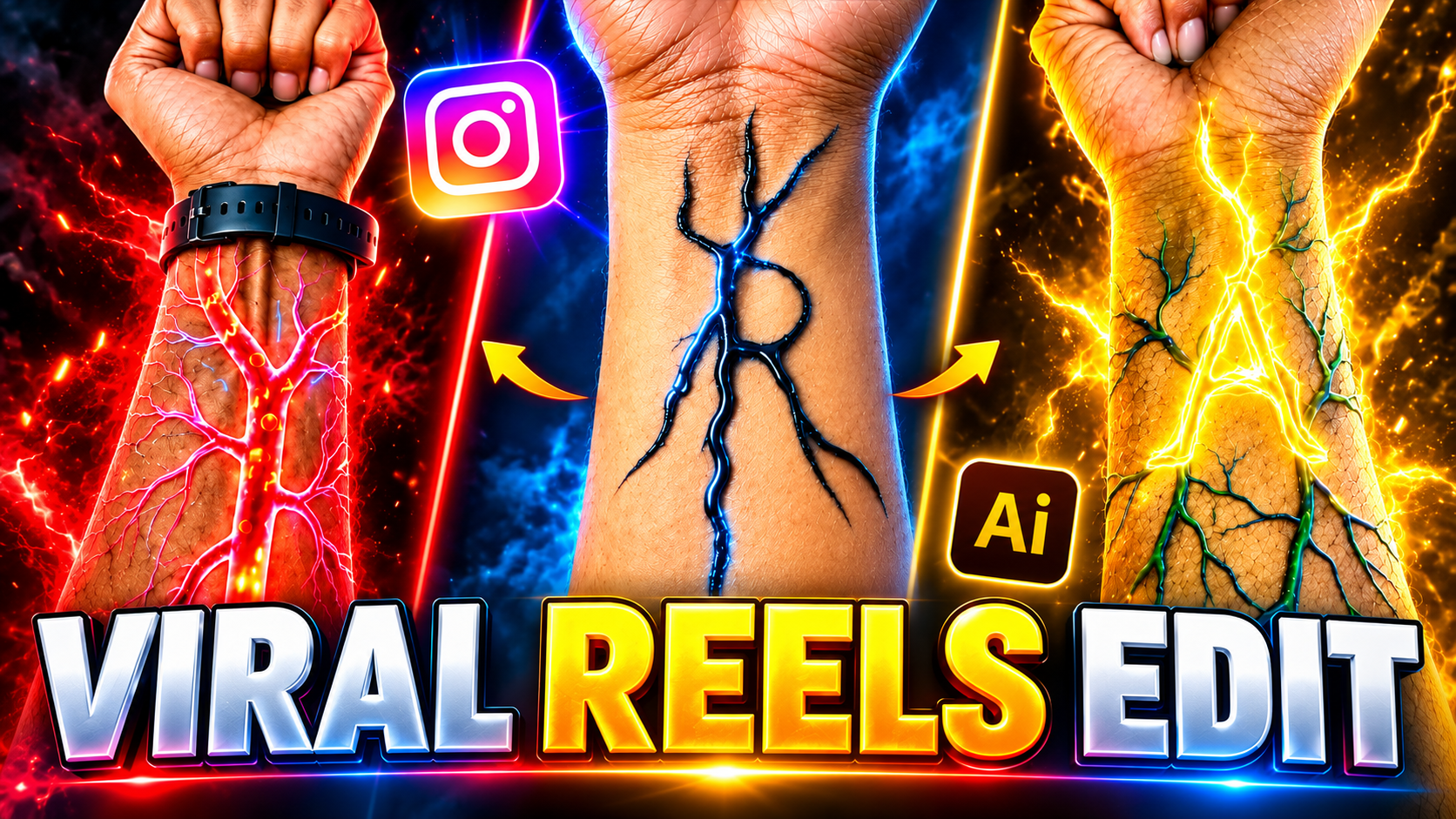
Create a 10-second ultra-realistic cinematic VFX video, vertical 9:16, using the uploaded hand image as reference. O-2s: Preserve the original closed fist, skin, arm hair, sleeve, wristwatch and background. A faint red-orange glow appears beneath the watch. 2-4s: Glowing red-orange energy veins spread across the forearm with tiny sparks. Keep skin intact and realistic. 4-5s: Smoothly zoom into a glowing branch, transitioning into a CGI tunnel. 5-7s: Travel through a deep red-orange 3D biological tunnel with glowing strands, circular waves and floating particles. 7-10s: Multiple glowing 3D copies of the letter [LETTER] float, rotate and pass the camera at different depths. Keep every letter identical and readable. Use cinematic lighting, smooth motion and futuristic electronic ambience. No cuts, blood, wounds, extra symbols, captions or watermarks. Preserve the original hand
Inspect Every Generated Clip
Do not assume an AI-generated video is ready to publish. Review the fingers, pen tip, letter shapes, and background for visual errors.
When accuracy is essential, consider generating the hand movement separately and using a controlled handwriting animation for the actual words.
SEO Tips for Publishing AI Hand Letter Videos
Creating the video is only part of the process. If you want people to discover your content, optimize its title, description, and presentation.
1. Use a Relevant Video Title
Include your main keyword naturally when it accurately describes the content.
Example: “How to Create AI Hand Letter Video: Beginner’s Guide”
Avoid repeating the same keyword unnaturally. Your title should explain the benefit of watching the video.
3. Use Relevant Keywords
Potential keywords for this topic include:
-
- How to create AI hand letter video
-
- AI handwriting animation
-
- AI hand writing video generator
-
- How to make handwriting videos
-
- AI whiteboard animation
-
- Handwriting video editing
-
- AI calligraphy video
-
- Text-to-video handwriting animation
-
- Animated handwritten quotes
Choose terms that genuinely match your content instead of inserting every phrase into every section.
4. Create an Attractive Thumbnail
Use a clear visual that communicates the video’s purpose. A hand holding a pen, a few readable handwritten words, and a simple background can work well.
Keep the thumbnail uncluttered and ensure that the text remains readable at small sizes.
5. Add Captions and Accessible Text
Captions can help viewers understand narration when watching without sound. Make sure that the captions do not cover the important handwritten content.
For a website blog, add descriptive image alt text and use a clear heading structure. These practices improve accessibility and help search engines understand the page.
Conclusion
Learning how to create AI hand letter video is an accessible way to explore creative video production without relying entirely on traditional filming and manual animation. With the right combination of AI generation, handwriting effects, design tools, and video editing, you can create attractive content for education, marketing, entertainment, and social media.
Start by choosing a simple concept, writing a short message, and selecting a visual style. Generate a reference image if needed, experiment with realistic hand movement or a controlled handwriting reveal, and refine the result through careful editing.
Remember that the most effective workflow depends on your priorities. AI-generated footage can create realistic movement, while dedicated animation techniques offer greater control over exact lettering. Combining these approaches can help you balance visual quality with accuracy.
Finally, focus on readability, natural movement, and a clear message rather than adding unnecessary effects. As you gain experience, experiment with different writing styles, backgrounds, narration, and video formats.
For More Click Here