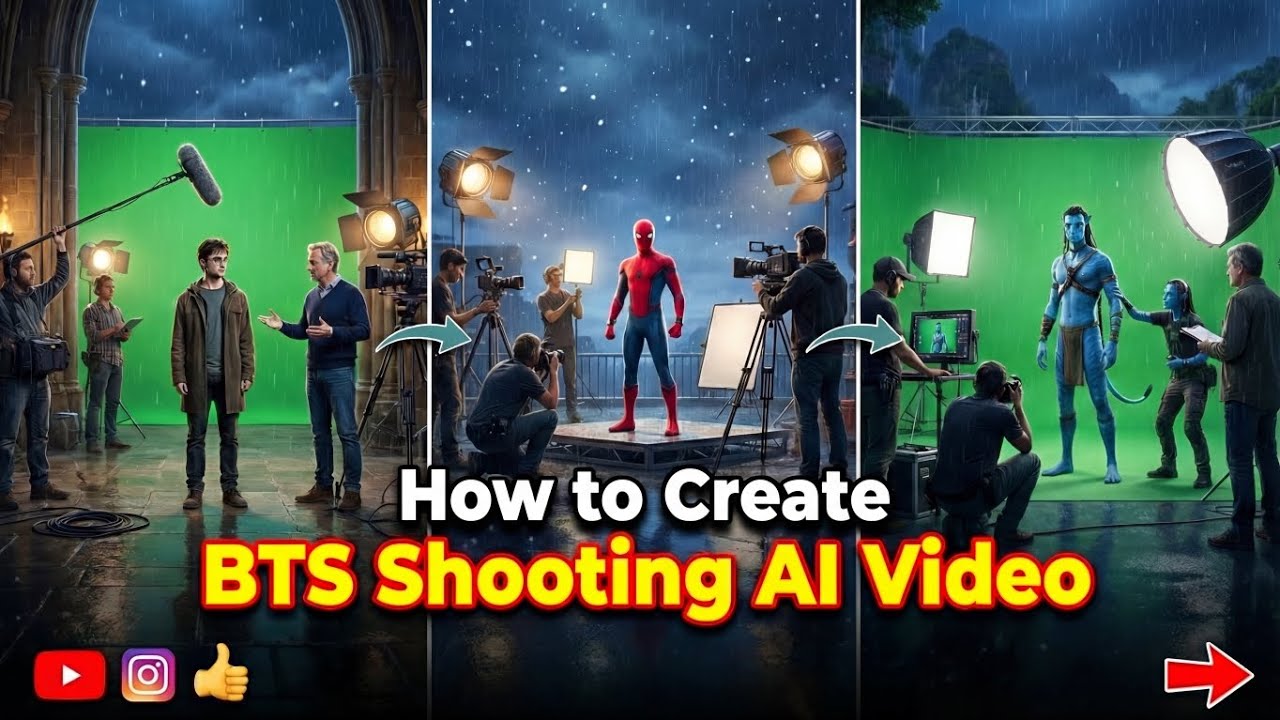
Artificial Intelligence has completely transformed the way creators produce viral content. One of the biggest trends dominating TikTok, Instagram Reels, YouTube Shorts, and Facebook is AI BTS Videos. These videos give viewers a cinematic “behind-the-scenes” look at how an image, artwork, or AI-generated scene comes to life.
Whether you’re a content creator, influencer, digital artist, or someone who simply loves experimenting with AI, learning how to make trending AI BTS videos can help you gain millions of views and increase engagement across social media platforms.
The best part? You don’t need expensive editing software or professional filmmaking experience. Today, several AI tools can generate realistic behind-the-scenes animations from a single prompt or image.
In this complete guide, you’ll learn everything about AI BTS videos, including what they are, why they’re trending, the best free AI tools, step-by-step creation methods, editing tips, prompt ideas, SEO strategies, and common mistakes to avoid.
Let’s get started.
What Are AI BTS Videos?
AI BTS (Behind The Scenes) videos are AI-generated clips that simulate the creative process behind an artwork, photoshoot, movie scene, animation, or digital creation.
Instead of showing the final image immediately, the AI creates an illusion that the audience is watching:
- Camera setup
- Lighting adjustments
- Character preparation
- Environment creation
- AI rendering process
- Virtual filmmaking
- Image transformation
- Cinematic transitions
These videos look realistic and create curiosity, making viewers watch until the end.
Why Are AI BTS Videos Trending?
There are several reasons behind their popularity.
1. High Watch Time
People naturally want to know how something was created.
Behind-the-scenes videos encourage viewers to keep watching.
2. Curiosity Effect
When viewers think they’re watching an actual production process, they become more engaged.
3. Cinematic Quality
Modern AI tools generate:
- Realistic lighting
- Camera movement
- Smooth animations
- Professional transitions
This gives videos a Hollywood-style appearance.
4. Easy to Create
Previously, creating cinematic scenes required:
- Cameras
- Actors
- Studios
- Editors
Now AI does most of the work automatically.
5. Perfect for Short Videos
AI BTS videos work well for:
- TikTok
- Instagram Reels
- YouTube Shorts
- Facebook Reels
- Pinterest Video Pins
Benefits of Making AI BTS Videos
Creating AI BTS content offers several advantages.
Higher Engagement
Behind-the-scenes content keeps viewers interested.
More Shares
People enjoy sharing creative AI content.
Better Reach
Social media algorithms often favor high-retention videos.
Faster Content Creation
Instead of spending days editing videos, AI can produce impressive results in minutes.
Endless Creativity
You can generate:
- Movie scenes
- Fantasy worlds
- Anime creation
- Fashion shoots
- Sports edits
- Sci-fi environments
- Product advertisements
- Historical scenes
Best AI Tools for Creating BTS Videos
Many AI tools can help create realistic behind-the-scenes videos.
Popular options include:
- Google Veo
- Kling AI
- Pika AI
- Runway ML
- Luma AI Dream Machine
- Hailuo AI
- PixVerse AI
- Vidu AI
- Higgsfield AI
- Wan AI
Some offer free daily credits, while premium plans provide longer and higher-quality video generation.
What You’ll Need Before Starting
Before generating your first AI BTS video, prepare the following:
- A clear concept
- AI image (optional)
- Strong prompt
- AI video generator
- Video editor
- Background music
- Captions
Planning beforehand saves time and improves results.
Step 1: Choose Your Video Concept
Every viral AI BTS video starts with an interesting idea.
Popular concepts include:
- AI Fashion Photoshoot
- Fantasy Kingdom
- Luxury Car Commercial
- Superhero Transformation
- Space Mission
- Robot Factory
- Medieval Castle
- Anime Studio
- Magic Forest
- Futuristic City
Choose one niche and stay consistent.
Step 2: Create Your Main AI Image
Most AI BTS videos begin with an image.
Generate one using your favorite AI image generator.
Focus on:
- High resolution
- Good lighting
- Detailed background
- Realistic textures
- Sharp subject
The better your image, the better your video.
Step 3: Write a Strong AI Prompt
Prompt quality determines video quality.
A good prompt includes:
- Character description
- Camera angle
- Environment
- Lighting
- Movement
- Mood
- Style
Example:
“A professional movie crew filming a futuristic warrior in a cyberpunk city, cinematic lighting, camera operators adjusting equipment, realistic reflections, dramatic atmosphere, ultra detailed, smooth camera movement.”
Specific prompts generally produce better results than vague ones.
Step 4: Generate the BTS Video
Upload your image if the tool supports image-to-video.
Otherwise:
- Paste your prompt.
- Choose a cinematic style.
- Set video duration.
- Select aspect ratio.
- Generate the video.
Many creators experiment with multiple generations before selecting the strongest version.
Step 5: Add Camera Motion
Dynamic camera movement makes videos feel professional.
Popular options:
- Slow zoom
- Orbit camera
- Dolly movement
- Crane shot
- Pan
- Tilt
- Push in
- Pull back
Avoid overly fast movement that distracts from the subject.
Step 6: Improve Video Quality
After generation, enhance the video by:
- Upscaling resolution
- Reducing noise
- Increasing sharpness
- Improving lighting
- Stabilizing movement
These enhancements can make AI-generated content look more polished.
Step 7: Edit Your Video
Editing transforms a good AI clip into a great one.
Include:
- Smooth transitions
- Text animations
- Motion blur
- Background music
- Sound effects
- Cinematic color grading
Keep edits clean and avoid excessive visual effects.
Step 8: Add Trending Audio
Music greatly impacts performance.
Choose audio that fits your theme:
- Cinematic
- Emotional
- Electronic
- Epic orchestral
- Ambient
- Trending platform sounds (where permitted)
Match cuts to the beat for stronger engagement.
Step 9: Add Captions
Captions improve accessibility and viewer retention.
Examples:
- “Behind the AI Magic”
- “Watch This Scene Come to Life”
- “Created Entirely With AI”
- “AI Movie Studio”
- “The Secret Process”
Short captions are easier to read on mobile devices.
Step 10: Export in High Quality
Recommended settings:
- 1080 × 1920
- MP4
- 30–60 FPS
- High bitrate
- Vertical format
These settings work well across most short-form platforms.
Best AI BTS Video Ideas
Here are content ideas that consistently attract attention:
AI Movie Set
Show actors preparing for an imaginary blockbuster.
AI Fashion Studio
Create a luxury photoshoot atmosphere.
Fantasy Kingdom
Reveal magical creatures, castles, and enchanted landscapes.
Superhero Creation
Animate the making of a comic-inspired hero.
Robot Factory
Show futuristic machines assembling advanced robots.
Sci-Fi Laboratory
Display scientists creating futuristic inventions.
Luxury Car Shoot
Simulate a high-end automotive commercial.
Space Exploration
Animate astronauts preparing for launch.
AI Sports Commercial
Show cinematic training sequences and stadium reveals.
Historical Documentary
Imagine ancient civilizations being reconstructed with AI.
Best Prompt Structure
Use this formula:
Subject + Environment + Action + Camera + Lighting + Mood + Style + Quality
Example:
“A luxury fashion model preparing during a futuristic photoshoot, photographers adjusting lights, cinematic studio, slow camera orbit, soft lighting, ultra realistic, highly detailed, Hollywood production, 8K.”
Tips for Creating Viral AI BTS Videos
Keep Videos Short
Aim for 15–45 seconds unless you’re creating long-form content.
Start with a Hook
The first three seconds are critical.
Examples:
- “Watch AI create a movie scene.”
- “This wasn’t filmed with a real camera.”
- “Everything you’re about to see was generated by AI.”
Maintain Consistency
Use a consistent visual style, fonts, and editing approach so viewers recognize your content.
Follow Trends
Monitor trending:
- Music
- Editing styles
- AI effects
- Visual themes
- Challenges
Adapting trends early can improve discoverability.
Upload Frequently
Creators who publish consistently often have more opportunities to reach new audiences.
A sustainable posting schedule is more effective than occasional bursts of content.
Common Mistakes to Avoid
Avoid these pitfalls:
- Weak prompts
- Low-resolution images
- Overly long intros
- Shaky camera motion
- Too many effects
- Poor lighting choices
- Cluttered scenes
- Inconsistent style
- Low-quality audio
- Ignoring subtitles
Refining each element can significantly improve the final result.
How to Optimize AI BTS Videos for Social Media
TikTok
- Use vertical format.
- Keep videos concise.
- Add trending audio where appropriate.
- Use relevant hashtags.
Instagram Reels
- Use eye-catching covers.
- Include engaging captions.
- Encourage comments with a question.
YouTube Shorts
- Place the hook immediately.
- Add searchable titles.
- Use keyword-rich descriptions.
Facebook Reels
- Upload consistently.
- Share in relevant communities when appropriate.
- Respond to comments to encourage engagement.
Prompt:
Behind-the-scenes phone footage from inside a large practical-effects soundstage, shot vertically on a handheld modern smartphone.Scene context: a film crew is shooting an avalanche burying a miniature ski resort. A steep sculpted mountain slope set, dressed in white practical snow, descends to a 1:24 scale alpine village — timber chalets, a grand hotel, ski-lift pylons strung with cable and tiny gondola cabins, miniature pine forest. Above the peak, a scaffold gantry carries a row of huge white dump hoppers loaded with practical snow mix; two techs stand on the gantry at the release levers.First frame: already loaded and ready — the slope and village fill mid-ground screen-right, hoppers looming over the peak; in the foreground screen-left, within 1 meter of the phone, three crew in black EFFECTS CREW t-shirts stand behind a low containment wall, one on a cinema camera on rails, another on a headset with a hand raised. A huge blue chroma-key wall with orange cross markers rises behind the summit. A technocrane hangs above the set.Action and physics: a shout of “Action!” — the hopper gates bang open in sequence and a white mass avalanches down the slope with real weight and turbulence, the flow front splitting around a rock outcrop, snapping miniature pines flat, then slamming into the village: chalets buried to their rooflines, the hotel roof caving under the load, lift pylons folding one after another as the cable whips the gondola cabins down into the churn; the flow bursts over the containment lip and a fine powder cloud rolls across the stage floor, whiting out the frame as the crew shield their faces and stumble back.Camera: operator standing then backing away, phone in one hand at chest height, fast handheld pan following the flow from peak down to village, framing loose and reactive, hard jolt as the powder cloud hits, autofocus hunting through the whiteout, white flecks clinging to the lens in the final beat. 84° wide diagonal FOV, camera 2 meters from the containment wall.Lighting: overhead LED soft panel grid as primary source, top-front on the camera side, bright daylight-balanced, exposure locked for the white snow so foreground crew read darker; the powder cloud glows backlit under the panels.Audio: on-set ambient — a loud “Action!”, the metal clang of hopper gates, a dense roar of cascading material, snapping model timber, the twang of the lift cable letting go, then shouting crew off-camera “Hold your marks! Keep rolling! Camera two, stay on the hotel!”.Realistic amateur smartphone capture, natural handheld shake and rolling shutter, real practical snow on a real stage, sharp modern phone sensor detail, no captions, no on-screen text.
SEO Tips for AI BTS Content
If you’re publishing on a website or blog, optimize for search engines.
Include your focus keyword in:
- Title
- URL
- Introduction
- Headings
- Image alt text
- Meta description
- Conclusion
Also use related keywords naturally, such as:
- AI video generator
- AI behind-the-scenes video
- AI cinematic video
- AI movie creation
- AI animation
- Image-to-video AI
- AI video editing
- Viral AI video tutorial
Write for readers first, then optimize for search.
Monetization Opportunities
Once you’ve built an audience, AI BTS videos can support multiple income streams:
- Brand collaborations
- Affiliate marketing for AI tools
- Digital products (presets, prompt packs, templates)
- YouTube ad revenue
- Sponsored content
- Online courses
- Freelance AI content creation
- Membership communities
Diversifying income reduces dependence on a single platform.
Frequently Asked Questions
Can beginners make AI BTS videos?
Yes. Many AI tools are beginner-friendly and provide templates or guided workflows.
Are free AI tools enough?
Free plans are often sufficient for learning and creating short clips, though premium plans may offer higher quality, longer videos, and faster generation.
How long does it take?
Once you’re familiar with the process, creating a short AI BTS video can take anywhere from 15 minutes to an hour, depending on revisions.
Which platform is best?
There isn’t one universal answer. TikTok, Instagram Reels, and YouTube Shorts all have large audiences for short-form AI content. Experiment to see where your style performs best.
Can I earn money with AI BTS videos?
Yes, if your content complies with platform policies and attracts an audience, you may monetize through ads, sponsorships, affiliate marketing, and digital products.
Final Thoughts
Learning how to make trending AI BTS videos is an excellent way to create engaging, cinematic content without the cost of traditional production. With a compelling concept, a well-crafted prompt, a capable AI video generator, and thoughtful editing, you can produce videos that capture attention across TikTok, Instagram Reels, YouTube Shorts, and other platforms.
Success doesn’t come from relying on AI alone. The creators who consistently perform well combine strong storytelling, careful prompt writing, polished editing, and an understanding of what resonates with their audience. Continue experimenting with different themes, camera movements, and visual styles, analyze which videos perform best, and refine your process over time.
As AI video technology continues to evolve, creators who learn these skills early will be well-positioned to produce high-quality, shareable content. Start with simple projects, improve with each upload, and focus on delivering videos that entertain, inform, or inspire. Consistency, creativity, and attention to detail are the keys to building a successful presence with AI BTS videos.