The “Ek Taraf Bhram OR Ek Taraf Karam” VN Code Reel Editing trend has become one of the most viral editing styles on Instagram Reels, TikTok, Facebook Reels, and YouTube Shorts. Thousands of creators are using this cinematic transition effect to gain millions of views because it combines emotional storytelling, powerful beat sync, smooth transitions, and professional color grading.
If you have ever watched a reel where the first half represents illusion (Bhram) while the second half represents reality or action (Karam), then you already know why this trend attracts so much attention.
The best part is that you don’t need Adobe Premiere Pro or After Effects. You can create this entire edit using the VN Video Editor on your smartphone.
In this complete guide, you’ll learn everything about Ek Taraf Bhram OR Ek Taraf Karam VN Code Reel Editing, including how to download VN codes, import presets, edit like a professional, optimize your reels for Instagram, and make your content go viral.
What is Ek Taraf Bhram OR Ek Taraf Karam Reel Editing?
The phrase “Ek Taraf Bhram OR Ek Taraf Karam” represents two opposite realities.
- One side shows dreams, imagination, or illusion.
- The other side shows action, effort, and reality.
Creators use this concept to create motivational, emotional, cinematic, and storytelling reels that keep viewers watching until the very end.
This editing style usually includes:
- Slow-motion clips
- Cinematic color grading
- Smooth zoom transitions
- Flash effects
- Beat synchronization
- Motion blur
- Camera shakes
- Dramatic text animation
- Emotional background music
Why This Trend Is Going Viral
Several reasons make this editing style perform extremely well.
1. Emotional Storytelling
People love reels that tell a story within 10–20 seconds.
2. High Watch Time
The transition from Bhram to Karam creates curiosity.
Viewers stay until the ending.
Higher watch time means better reach.
3. Easy to Create
Anyone can use VN Code presets.
No professional editing knowledge is required.
4. Works in Every Niche
This trend works for:
- Motivation
- Islamic videos
- AI content
- Fitness
- Lifestyle
- Travel
- Education
- Business
- Cinematic edits
- Personal branding
What is VN Code?
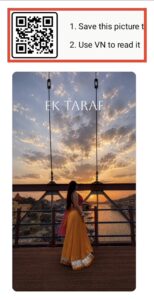
VN Code is a QR-based preset that stores editing settings.
Instead of creating transitions manually, you simply scan or import the VN Code.
Everything loads automatically:
- Effects
- Animations
- Keyframes
- Color grading
- Speed ramps
- Motion blur
- Audio timing
- Transitions
This saves hours of editing.
Why Use VN Video Editor?
VN Video Editor has become one of the most popular mobile editing apps because it offers professional features for free.
Benefits include:
- No watermark
- Easy interface
- Supports 4K export
- Multiple layers
- Speed curves
- Keyframes
- Green screen
- Motion blur
- Custom fonts
- Cinematic filters
- Audio editing
Requirements Before Editing
Prepare these items before starting:
- VN Video Editor installed
- High-quality video clips
- Trending background music
- VN Code preset
- Good lighting in footage
- Stable camera shots
- 1080×1920 vertical clips
Step 1: Collect Your Footage
Plan your storyline carefully.
For example:
Scene 1:
Dreaming about success.
Scene 2:
Facing challenges.
Scene 3:
Working hard.
Scene 4:
Achieving success.
This simple story matches the meaning of Ek Taraf Bhram OR Ek Taraf Karam.
Step 2: Import the VN Code
Open VN Editor.
Select:
New Project
Import your videos.
Tap:
Import VN Code
Choose the downloaded preset.
Within seconds your transitions and effects will appear.
Step 3: Arrange Your Clips
Maintain proper timing.
Example:
Intro
2 seconds
Middle
6 seconds
Ending
4 seconds
Keep every clip short.
Fast pacing increases viewer retention.
Step 4: Add Beat Sync
Beat synchronization is one of the biggest reasons viral reels look satisfying.
Zoom every beat.
Cut every beat.
Add flash effects on drops.
Use speed ramps during music transitions.
Step 5: Apply Cinematic Color Grading
Professional reels always have cinematic colors.
Popular styles include:
- Orange & Teal
- Moody Black
- Warm Gold
- Blue Cinematic
- Dark Contrast
- Soft Film Look
Keep colors consistent throughout the reel.
Step 6: Add Motion Blur
Motion blur makes transitions smoother.
It removes the robotic feeling.
Most viral VN presets already include this effect.
Step 7: Use Camera Shake
Camera shake creates energy.
Don’t overuse it.
Apply only during:
- Beat drops
- Fast transitions
- Impact moments
Step 8: Add Flash Transitions
Flash effects create dramatic scene changes.
Keep flash duration short.
Usually:
0.1–0.2 seconds.
Step 9: Add Text Animation
Text improves storytelling.
Popular examples:
Ek Taraf Bhram
Ek Taraf Karam
Dream
Reality
Believe
Work
Success
Failure
Use clean fonts.
Avoid too much text.
Step 10: Export Settings
For best quality use:
Resolution:
1080×1920
FPS:
60
Bitrate:
High
Format:
MP4
Higher quality performs better on Instagram and YouTube.
Best Music for This Trend
Choose music with emotional progression.
Popular options include:
- Cinematic instrumentals
- Emotional piano
- Motivational beats
- Trending Instagram audio
- Epic orchestral music
- Slow build-up tracks
Always use trending audio whenever possible.
Best Camera Angles
Professional creators mix different angles.
Examples:
- Walking shots
- Drone shots
- Low-angle shots
- Close-ups
- Side profile
- Slow-motion
- Wide cinematic shots
Avoid shaky footage.
Mistakes Beginners Make
Many creators fail because of common editing mistakes.
These include:
- Long intros
- Poor lighting
- Random transitions
- Low-quality footage
- Bad audio
- Too much text
- Inconsistent colors
- Wrong aspect ratio
Avoiding these mistakes can dramatically improve your reel’s performance.
Tips to Make Your Reel Go Viral
- Hook viewers within the first 3 seconds.
- Use trending audio.
- Keep videos under 20 seconds.
- Add subtitles for better accessibility.
- Maintain fast pacing.
- End with a strong emotional payoff.
- Post consistently.
- Use high-quality thumbnails.
- Encourage viewers to like, comment, and share.
SEO Tips for Blogging About VN Code Reel Editing
If you’re publishing this guide on your website, optimize it by:
- Including the keyword in the title.
- Using keyword-rich headings (H2 and H3).
- Writing a compelling meta description.
- Compressing images for faster loading.
- Adding internal links to related editing tutorials.
- Using descriptive alt text for screenshots.
- Keeping paragraphs short and easy to read.
These practices can improve your chances of ranking on search engines.
Frequently Asked Questions (FAQs)
Is VN Video Editor free?
Yes. VN Video Editor is free and offers many professional editing features without a watermark.
Can beginners use VN Code?
Absolutely. VN Codes are designed to make editing simple, even for users with no prior experience.
Which aspect ratio is best?
A vertical 9:16 aspect ratio is ideal for Instagram Reels, TikTok, Facebook Reels, and YouTube Shorts.
Does using VN Code guarantee viral videos?
No. A VN Code improves editing quality, but success also depends on content, storytelling, consistency, audience engagement, and posting strategy.
Can I customize a VN preset?
Yes. After importing a VN Code, you can modify transitions, effects, colors, text, and timing to create your own unique style.
Pro Tips for Better Engagement
To maximize engagement:
- Use a strong opening frame that grabs attention immediately.
- Keep your message clear and emotionally relatable.
- Sync every major transition with the music beat.
- Use captions because many viewers watch videos without sound.
- Reply to comments quickly to boost interaction.
- Experiment with different posting times and analyze which performs best.
Why Consistency Matters
One viral reel can bring thousands of views, but consistent posting builds a loyal audience. Try to upload at least three to five high-quality reels every week. Over time, you’ll learn which editing styles, music choices, and storytelling techniques resonate most with your viewers.
Track metrics such as:
- Watch time
- Average view duration
- Shares
- Saves
- Comments
- Follower growth
Use these insights to improve future edits.
Final Thoughts
The Ek Taraf Bhram OR Ek Taraf Karam VN Code Reel Editing trend is more than just a visual effect—it’s a storytelling style that connects with audiences through emotion, contrast, and cinematic presentation. With VN Video Editor, even beginners can create professional-looking reels by using VN Code presets, beat sync, motion blur, and color grading.
Remember that editing is only one part of success. The most successful creators combine high-quality editing with meaningful stories, consistent uploads, trending audio, and audience engagement.
If you practice regularly and continue refining your editing skills, you can create reels that not only look cinematic but also have the potential to reach millions of viewers across Instagram, TikTok, Facebook Reels, and YouTube Shorts.
For More Information Visit