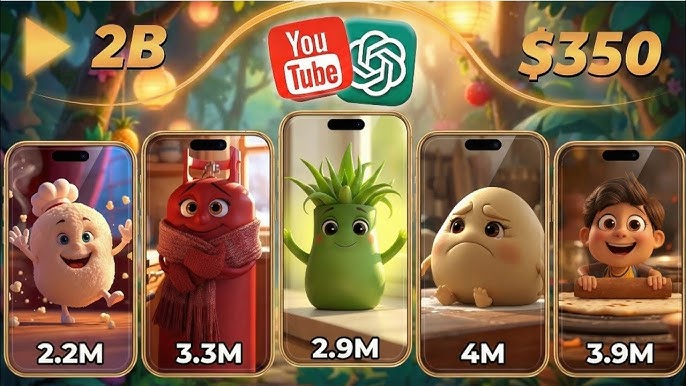
Pixar-style AI baby videos are taking over TikTok, Instagram Reels, YouTube Shorts, and Facebook. These adorable animations transform ordinary photos into cute, expressive baby characters with cinematic Pixar-inspired visuals, captivating millions of viewers worldwide.
The best part? You don’t need animation skills, expensive software, or a professional studio. Thanks to modern AI tools, anyone can create viral Pixar-style baby videos in minutes.
In this guide, you’ll learn exactly how to create stunning AI baby videos that attract views, engagement, and shares across social media platforms.
Why Pixar Style AI Baby Videos Go Viral
Pixar-inspired baby animations trigger strong emotional reactions because they combine:
- Cute baby features
- Expressive facial animations
- High-quality cinematic visuals
- Emotional storytelling
- Nostalgic animated movie aesthetics
These elements make viewers stop scrolling and watch until the end, which increases engagement and helps videos reach a larger audience.
What You Need Before Starting
To create Pixar-style AI baby videos, you’ll need:
1. A Clear Photo
Use a high-quality image with:
- Good lighting
- Visible face
- Sharp details
- Minimal blur
Front-facing portraits usually produce the best results.
2. AI Image Generator
Popular options include:
- ChatGPT Image Generation
- Midjourney
- Leonardo AI
- Ideogram
- Flux AI
These tools can transform your photo into a Pixar-inspired baby character.
3. AI Video Generator
After creating the baby image, animate it using:
- Kling AI
- Runway
- Hailuo AI
- Pika Labs
- Luma Dream Machine
Step 1: Convert Your Photo into a Pixar Style Baby
Upload your original photo to an AI image generator and use a detailed prompt.
Example Prompt
“Transform this person into an adorable Pixar-style baby character. Large expressive eyes, soft rounded cheeks, cute smile, cinematic lighting, colorful animated movie style, ultra-detailed 3D render, high-quality Pixar-inspired animation look, shallow depth of field, vibrant colors.”
The AI will generate a charming baby version while preserving the person’s identity.
Step 2: Enhance the Character Design
To increase virality, make your baby character:
- More expressive
- Emotionally engaging
- Bright and colorful
- Visually unique
Popular themes include:
- Baby superhero
- Baby chef
- Baby astronaut
- Baby influencer
- Baby millionaire
- Baby gamer
Unique concepts often perform better than generic baby portraits.
Step 3: Animate the Character
Upload the Pixar-style baby image into an AI video generator.
Prompt:
A heartwarming Pixar-style 3D animated short, cinematic and photorealistic-rendered, with lip-synced character dialogue. A chubby-cheeked toddler with intricate cornrow braids and huge expressive brown eyes, wearing white knit diaper shorts with tiny pom-pom ties, crawls and toddles unsteadily across soft golden sand on a tropical beach at sunset, leaving small footprints. Ahead, a stockier adult character with matching braids, a full beard, bare chest, gold chain necklace, and knit shorts walks along the shoreline. The baby catches up, tugs at the back of his shorts, then looks up at him with a furrowed brow, talking and fussing at him in an assertive toddler voice as if scolding him about something — mouth moving in clear lip-synced speech. The dad glances down, chuckles, and answers back with a playful, guilty shrug and a sheepish grin, hands gesturing innocently. He then scoops the baby up into his arms; she keeps babbling for a moment before he kisses her cheek, and her words melt into a happy giggle, eyes squeezing shut in a content smile.Audio: warm ambient ocean waves and wind, soft emotional/acoustic background score, clear lip-synced dialogue — toddler’s voice high-pitched and sassy/fussy, dad’s voice low, warm, and amused — ending in baby laughter. Setting: tropical beach with turquoise ocean, gentle waves, palm trees, and a thatched-roof hut in the background, warm pink-and-orange sunset sky with soft clouds. Camera: close-up and medium tracking shots at low toddler-eye-level, shallow depth of field, soft cinematic rim lighting from the setting sun, smooth handheld-style camera drift. Style: ultra-detailed 3D character animation, big-head/chibi proportions, soft subsurface skin shading, warm color grade, heartfelt comedic-family tone, 24fps, photoreal textures with stylized cartoon features.
Step 4: Add Trending Audio
Audio plays a major role in virality.
Choose:
- Trending TikTok sounds
- Emotional background music
- Funny voiceovers
- Cute baby sound effects
- Viral meme audio
Always check current trending sounds within your platform before posting.
Step 5: Edit for Maximum Engagement
Keep videos short and attention-grabbing.
Best Practices
- Hook viewers within 2 seconds
- Use captions
- Add smooth transitions
- Include zoom effects
- Maintain fast pacing
Most viral AI baby videos are between 7 and 20 seconds long.
This helps social media algorithms understand your content.
Best Niches for Pixar AI Baby Videos
Some niches consistently generate higher engagement:
Celebrity Baby Transformations
Turn famous personalities into Pixar-style babies.
Historical Figures
Imagine historical icons as animated babies.
Movie Characters
Create baby versions of popular film characters.
Family Transformations
Transform family photos into adorable animated babies.
Pet and Baby Mashups
Combine cute pets with Pixar-style baby aesthetics.
Common Mistakes to Avoid
Avoid these errors:
- Using low-quality photos
- Creating videos longer than 30 seconds
- Overcomplicated animations
- Poor lighting in source images
- Ignoring trending audio
- Posting without captions or hashtags
Small improvements can dramatically increase views.
Tips to Make Your AI Baby Videos Go Viral
Follow Trends
Adapt current social media trends quickly.
Post Consistently
Upload regularly to train algorithms to promote your content.
Focus on Emotion
Cute, funny, and heartwarming videos usually outperform purely visual content.
Use Strong Thumbnails
A close-up baby face with expressive eyes often attracts more clicks.
Test Different Styles
Experiment with various character designs and animation styles.
Final Thoughts
Pixar-style AI baby videos have become one of the fastest-growing content categories on social media. With the right AI tools, creative prompts, and engaging storytelling, anyone can create professional-looking animations that attract thousands—or even millions—of views.
Start with a high-quality photo, transform it into a Pixar-inspired baby character, animate it using AI video tools, and pair it with trending audio. Consistency and creativity are the keys to building a viral AI content strategy in 2026.
Whether you’re a content creator, influencer, marketer, or AI enthusiast, now is the perfect time to jump into the world of viral Pixar-style AI baby videos.
For More Information Visit