AI has completely changed the way creators produce music videos. In the past, making a professional rap video required cameras, actors, locations, lighting, expensive equipment, and a team of editors. Today, artificial intelligence can help you create impressive rap visuals from a simple idea, photo, song, or written concept.
You can use AI to create a rapper character, generate cinematic locations, animate images, synchronize visuals with music, add effects, and edit everything into a professional-looking music video.
In this guide, you’ll learn how to create an AI rap video step by step, including how to generate your rapper character, write effective prompts, animate scenes, add music, create lyrics, edit clips, and optimize your finished video for YouTube Shorts, TikTok, Instagram Reels, and other platforms.
What Is an AI Rap Video?
An AI rap video is a music video created partially or completely with artificial intelligence.
Instead of filming every scene with a traditional camera, you can generate visual content using AI tools.
An AI rap video can include:
- An AI-generated rapper
- AI-generated music
- AI-generated lyrics
- AI-generated backgrounds
- Animated photographs
- Cinematic camera movements
- Virtual concerts
- Luxury cars and locations
- Futuristic cities
- Street-style scenes
- Animated characters
- Music visualizers
- Lip-sync animation
- AI choreography
- Special effects
The best part is that you can combine several of these techniques into one video.
Why Are AI Rap Videos Becoming Popular?
Rap music naturally works well with visually dynamic content. Fast beats, strong lyrics, dramatic locations, fashion, cars, lighting, and camera movement can all be combined with AI.
AI also makes experimentation easier.
For example, you could create a fictional rapper performing in:
- A futuristic city
- A rooftop at night
- A recording studio
- A luxury mansion
- A concert stage
- A desert landscape
- A cyberpunk environment
- A cinematic urban street
You don’t need to physically travel to those locations.
What You Need to Create an AI Rap Video
The exact tools are up to you, but the basic workflow requires several components.
1. Rap Audio
You can create your own rap song, use music you have permission to use, or create original music with an appropriate AI music service.
2. Lyrics
Write original lyrics or use lyrics that you have the rights to use.
3. AI Image Generator
Use an image-generation tool to create your rapper and environments.
4. AI Video Generator
An image-to-video tool can animate your still images.
5. Video Editor
Use an editor to combine your clips, audio, transitions, captions, and effects.
6. Thumbnail
For YouTube, create an eye-catching thumbnail that clearly represents the video.
Step 1: Create Your Rap Concept
Before generating anything, decide what your song and video are about.
A strong concept makes the visual direction much easier.
For example:
Concept: A fictional rapper performs a motivational rap in a futuristic city.
Or:
Concept: An underground rapper performs at night while luxury cars and neon lights appear in the background.
Or:
Concept: A fictional artist performs an energetic rap on a massive concert stage.
Your concept determines the character, clothing, locations, lighting, camera movements, and overall mood.
Step 2: Write Your Rap Lyrics
If you’re creating an original song, start by writing the lyrics.
Think about:
- Theme
- Mood
- Chorus
- Verses
- Flow
- Repetition
- Song length
A simple structure could be:
Intro → Verse 1 → Chorus → Verse 2 → Chorus → Outro
For a short social media video, you might only need a chorus and a short verse.
Keep your lyrics original if you plan to publish or monetize the content.
Step 3: Create or Generate the Rap Music
You can record your own vocals or use an appropriate AI music or voice workflow.
If you’re creating an AI-generated rapper, decide what type of voice and musical style you want.
For example:
- Energetic hip-hop
- Trap
- Old-school rap
- Melodic rap
- Pop rap
- Electronic hip-hop
- Cinematic rap
- Lo-fi rap
Be careful when attempting to imitate a real artist’s distinctive voice or style. A safer approach is to create an original fictional artist with their own voice and identity.
Step 4: Create Your AI Rapper Character
This is one of the most important parts of the video.
You want your rapper to look consistent throughout the different scenes.
Example AI Image Prompt
“A fictional young male rapper performing in a modern recording studio, stylish black streetwear, silver chain, confident expression, realistic facial details, dramatic studio lighting, cinematic photography, detailed clothing, professional music-video aesthetic, high-detail composition.”
You can change the clothing and environment depending on your concept.
For example:
“A fictional female rapper wearing futuristic streetwear, standing on a neon-lit rooftop at night, confident pose, colorful city lights in the background, cinematic lighting, realistic photography, professional music video aesthetic.”
Step 5: Create Multiple Rap Video Locations
One location can become repetitive.
Instead, generate several scenes featuring the same fictional rapper.
For example:
Scene 1 — Recording Studio
The rapper records the opening verse.
Scene 2 — Rooftop
The rapper performs the chorus overlooking a futuristic city.
Scene 3 — Street
The rapper walks through a cinematic urban environment.
Scene 4 — Luxury Car
The rapper performs beside a fictional luxury vehicle.
Scene 5 — Concert
The rapper performs in front of a large virtual audience.
These scenes can then be edited together to create a complete music video.
Step 6: Maintain Character Consistency
AI-generated characters can sometimes change appearance between generations.
Your rapper might suddenly have:
- Different hair
- Different clothes
- A different face
- Different accessories
- Different body proportions
To reduce these problems, use the same reference image whenever your chosen AI tool supports reference images.
You can also repeat important details in your prompts.
For example:
“Maintain the same fictional rapper identity, facial structure, hairstyle, clothing, jewelry, and overall appearance as the reference image.”
Character consistency is particularly important when creating multiple scenes.
Step 7: Animate the Rapper
Once you have your images, use an image-to-video AI workflow to animate them.
Your animation prompt should focus on movement.
For example:
“The rapper performs confidently toward the camera while moving naturally to the rhythm, subtle hand gestures, realistic body movement, slight head movement, cinematic camera motion, stable facial features, professional music-video style.”
Don’t ask the AI to perform too many actions simultaneously.
Simple movement usually produces better results.
Step 8: Create Lip-Sync Scenes
If your AI video tool supports lip synchronization, you can use your rap audio to animate the character’s mouth.
This can make the character appear to perform the song.
For better results:
- Use a clear face
- Keep the face visible
- Avoid extreme camera angles
- Use clean audio
- Avoid excessive head movement
You may need to generate multiple versions before getting a convincing result.
Step 10: Create Different Shots
A professional music video rarely uses the exact same camera angle for the entire song.
Try combining:
Wide shot + Medium shot + Close-up + Side angle + Moving camera
For example:
Shot 1: Wide rooftop scene
Shot 2: Medium rapper performance
Shot 3: Close-up during the chorus
Shot 4: Tracking shot
Shot 5: Wide final reveal
This makes the video feel more dynamic.
Step 11: Match the Visuals to the Beat
This is one of the most important editing techniques.
Your visuals should change according to the music.
For example:
Beat drop → Scene transition
Strong beat → Camera movement
Chorus → New location
Bass hit → Visual effect
Verse → Performance shot
This synchronization can make your AI rap video much more engaging.
Step 12: Add Music Video Effects
You can add effects during editing to enhance the visuals.
Some possibilities include:
- Camera shake
- Zoom
- Motion blur
- Flash transitions
- Light leaks
- Glitch effects
- Speed ramps
- Slow motion
- Beat transitions
- Film grain
Use effects carefully.
If every second contains a different effect, the video can become difficult to watch.
Step 15: Add Cars and Luxury Environments
Cars are frequently used in music videos because they create visually interesting scenes.
You could create:
- A rapper standing beside a sports car
- A rapper driving through a fictional city
- A rapper performing in a parking garage
- A futuristic vehicle outside a nightclub
- A cinematic highway scene
For example:
“A fictional rapper standing beside a futuristic sports car at night, neon city lights reflecting across the vehicle, dramatic atmosphere, cinematic lighting, realistic automotive details, professional rap music video.”
Make sure the vehicle and other elements are fictional or appropriately licensed if you’re using the content commercially.
Step 16: Add Lyrics to the Video
On-screen lyrics can improve engagement.
You don’t need to display every word.
Highlight important lines or chorus sections.
For example:
“I came from nothing…”
Then transition to:
“…now I’m building everything.”
Use large text with enough contrast to remain readable.
Step 17: Edit the Complete AI Rap Video
Once you have your clips, bring them into your video editor.
A basic structure could look like this:
Intro
Quick establishing shot.
Verse 1
Studio performance.
Chorus
Rooftop or concert scene.
Verse 2
Street or car scene.
Final Chorus
Big performance scene.
Outro
Final cinematic shot.
This gives the video a clear structure.
Step 18: Choose the Right Video Format
For YouTube Shorts, TikTok, Instagram Reels, and similar platforms, vertical video is usually a practical choice.
Use:
9:16 aspect ratio
A common resolution is:
1080 × 1920 pixels
For a traditional YouTube music video, use:
16:9
A common Full HD resolution is:
1920 × 1080 pixels
Choose the format before generating too many scenes so important elements are framed correctly.
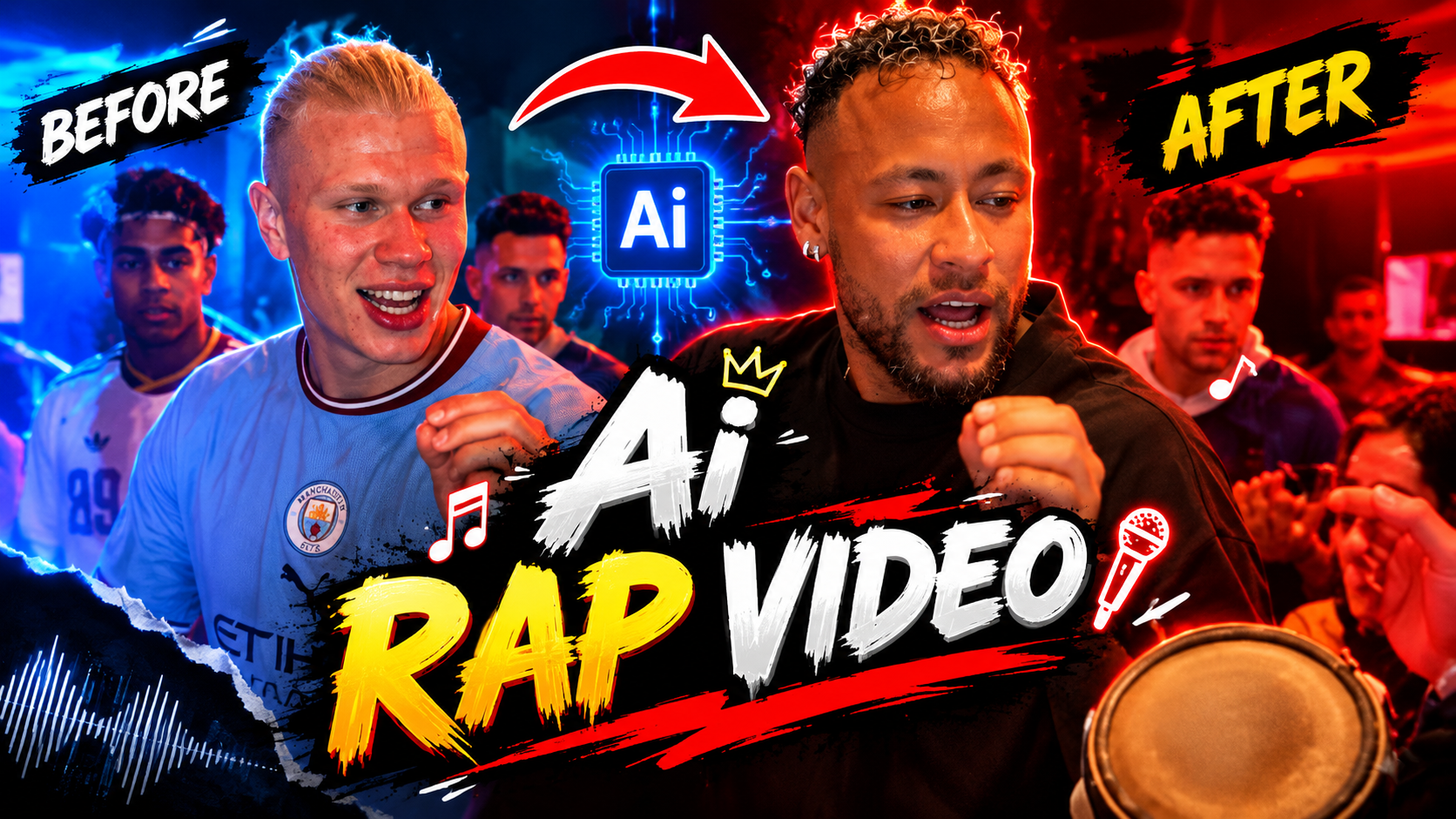
Step 19: Create a YouTube Thumbnail
Your thumbnail should communicate the music video’s concept immediately.
Good thumbnail ideas include:
- Close-up of the AI rapper
- Rapper + luxury car
- Rapper on a concert stage
- Before/after AI transformation
- Dramatic neon background
- Large short text
Refrence Video Link
Examples of thumbnail text:
AI RAP VIDEO
MADE WITH AI
AI RAPPER 🤯
ONE CLICK AI MUSIC VIDEO
Keep thumbnail text short and easy to read.
Prompt:
Replace the bald guy singing with the person uploaded
Step 20: Optimize Your AI Rap Video for SEO
If you’re publishing a tutorial about AI rap videos, use relevant keywords naturally.
Primary Keyword
how to create AI rap video
Related Keywords
- AI rap video
- AI rap video generator
- create AI music video
- AI rapper
- AI music video
- AI rap video tutorial
- AI music video generator
- AI video editing
- AI rapper video
- AI lip sync video
- AI music video creation
- how to make an AI music video
- AI rap animation
Include your primary keyword naturally in:
- Title
- Introduction
- Headings
- Meta description
- Image alt text
- Conclusion
Avoid repeating the same keyword unnaturally.
Tips for Making Your AI Rap Video More Professional
Tell a Story
Don’t simply generate random clips.
Keep Your Character Consistent
Use reference images whenever possible.
Match Cuts to the Beat
Change scenes at important musical moments.
Use Multiple Locations
This makes the video feel larger.
Don’t Overuse Effects
Let the music and visuals do most of the work.
Generate Several Versions
AI generation is often a process of experimentation.
Keep Important Visuals Clear
Avoid cluttered scenes where the main subject gets lost.
Can You Create an AI Rap Video From One Photo?
Yes. One of the simplest workflows is:
Photo → AI animation → Lip sync → Music → Editing
Start with a suitable portrait or full-body image of your fictional rapper. Animate the image, add your rap audio, create lip-sync footage if your tool supports it, and then edit the result with additional AI-generated scenes.
This approach is especially useful for beginners who don’t want to create an entire music video from scratch.
Final Thoughts
Learning how to create an AI rap video can be an exciting way to combine artificial intelligence, music, animation, storytelling, and video editing. You don’t need a professional film crew or expensive production equipment to experiment with the format.
Start by developing an original rap concept and creating your fictional artist. Generate a strong reference image, then use image-to-video animation to bring the character to life. Keep movements simple, maintain character consistency, and create several locations to make the final video feel more dynamic.
Music and editing are just as important as the AI generation itself. Sync your scene changes with the beat, use appropriate sound effects, add captions where useful, and avoid filling every scene with unnecessary effects.
For More Click Here