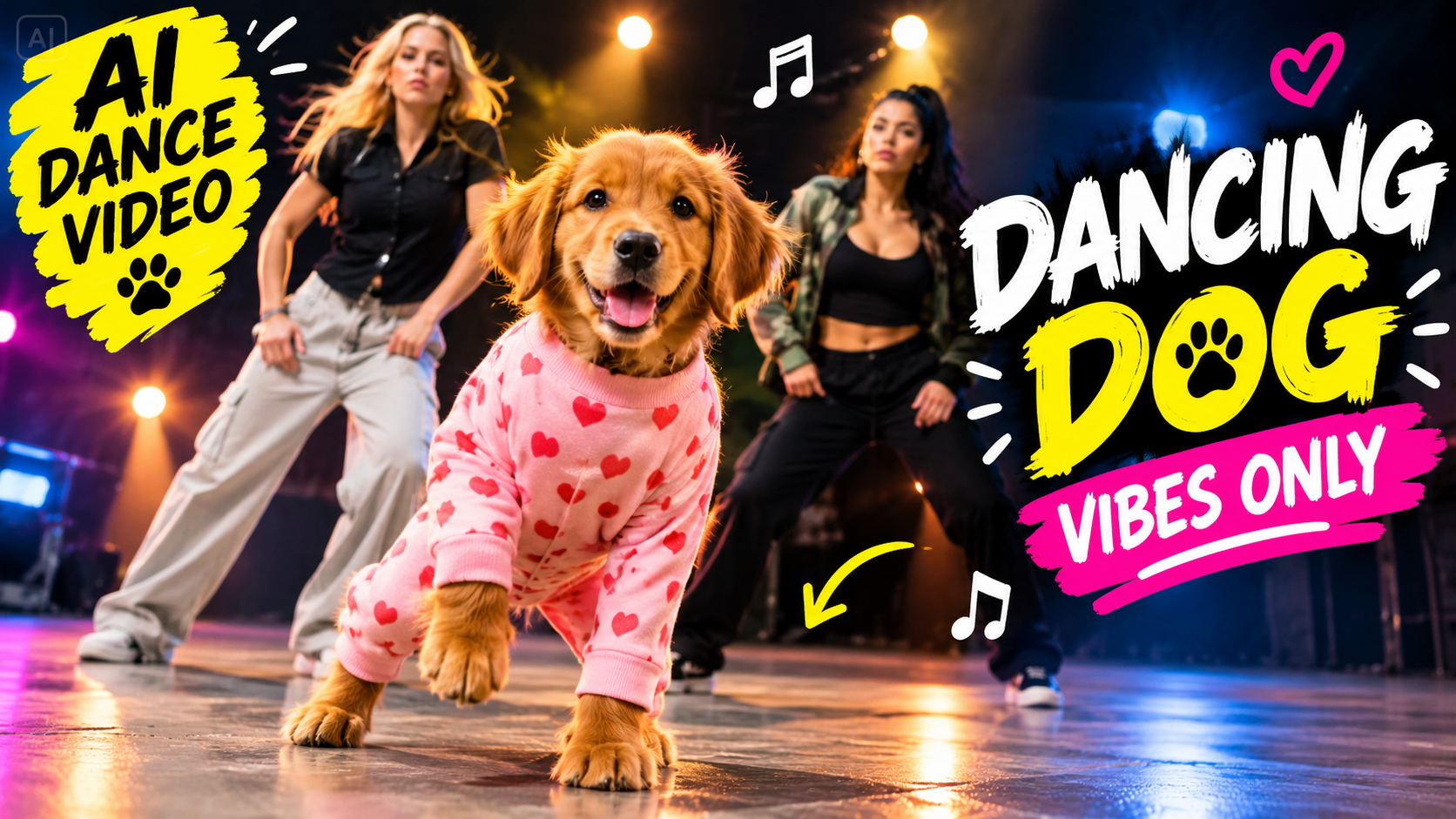
AI-generated animal videos have become one of the most entertaining types of short-form content on social media. Cute dogs, funny transformations, talking pets, cinematic animal scenes, and AI dog dance videos can quickly attract attention because they combine familiar animals with unexpected creative effects.
The good news is that you don’t need a trained dog, expensive camera, or complicated animation skills to create this type of content. With an AI image generator, an image-to-video tool, and a simple video editor, you can turn a dog photo or AI-generated dog image into a fun dancing video.
In this guide, you’ll learn how to make an AI dance video with a dog, including how to choose a concept, create the dog image, write effective prompts, animate the dog, add music and effects, maintain consistency, and optimize the final video for TikTok, YouTube Shorts, Instagram Reels, and Facebook.
Important: AI-generated dog dancing should be presented as fictional or digitally animated content. If you’re using a real dog’s photo, don’t physically force the animal to perform movements for the sake of creating a video. AI animation is a safer way to create the effect.
What Is an AI Dog Dance Video?
An AI dog dance video is a digitally created or AI-assisted video in which a dog appears to dance, move rhythmically, or perform a playful choreographed routine.
The dog can be:
- A real pet represented by an uploaded photo
- An AI-generated dog
- A cartoon dog
- A 3D animated dog
- A fictional talking dog character
- A realistic-looking digital animal
For example, you could create a video where a cute dog appears to dance to an upbeat song, performs funny moves in a living room, or becomes part of a cinematic music video.
The basic workflow is:
Dog photo → AI animation → Music → Video editing → Final short video
Why Are AI Dog Dance Videos Popular?
Dogs already have enormous appeal on social media. When AI adds unexpected movement or a funny scenario, the result can become highly shareable.
AI dog dance videos are particularly useful for short-form content because they are:
- Easy to understand
- Visually entertaining
- Suitable for short videos
- Easy to customize
- Good for storytelling
- Suitable for different music styles
- Possible to create without filming a complicated scene
A simple dog photo can become the starting point for a completely different creative idea.
What You Need to Create an AI Dog Dance Video
You don’t need professional equipment.
A typical workflow requires:
1. Dog Image
You can use a suitable photo of your dog or generate a fictional dog image with AI.
2. AI Image-to-Video Tool
This is used to animate the still image.
3. Video Editor
Use an editing application to combine clips, music, captions, and effects.
4. Music
Choose music you are allowed to use.
5. Animation Prompt
Your prompt tells the AI how the dog should move.
Step 1: Choose Your Dog Dance Concept
Before generating anything, decide what type of video you want.
Don’t simply use the prompt:
“Make my dog dance.”
Instead, think about the complete scene.
For example:
“A cute golden dog performing a funny dance routine in a colorful living room while the camera moves rhythmically.”
Or:
“A small fluffy dog performing a playful dance in a cinematic outdoor setting.”
You can also create themed videos such as:
- Funny dog dance
- Cute puppy dance
- Dog hip-hop dance
- Dog party video
- Dog wedding dance
- Dog Bollywood-style dance
- Dog disco dance
- Dog DJ video
- Dog concert performance
- Dog dance competition
The concept should match your target audience.
Step 2: Choose or Create the Dog Image
If you already have a good-quality dog photograph, you can use it as the starting point.
A clear image is usually easier to animate.
Try to use a photo where:
- The dog is clearly visible
- The body isn’t heavily cropped
- The lighting is reasonable
- The background isn’t extremely complicated
- The dog isn’t partially hidden
If you don’t have a suitable photo, you can generate a fictional dog.
Example AI Dog Image Prompt
“A cute fluffy golden retriever standing in a bright modern living room, full body visible, cheerful expression, realistic fur, natural lighting, detailed eyes, clean background, professional pet photography, cinematic composition.”
A full-body image is particularly useful for a dance animation because the AI needs to understand the dog’s body position.
Step 3: Prepare the Image for Animation
Before animating, check the image carefully.
Make sure the dog has:
- Four visible legs where appropriate
- A clearly defined body
- A visible head
- Natural proportions
- Clear separation from the background
If the original image contains multiple animals or people, the animation model may have difficulty determining which subject should move.
For your first project, a simple single-dog image is usually the easiest option.
Step 4: Write a Good AI Dance Prompt
The animation prompt is one of the most important parts of the process.
Instead of describing the dog’s appearance again, focus on movement.
Basic Dog Dance Prompt
“Animate the dog performing a playful, rhythmic dance with natural body movement, gently moving its front paws and shifting its body from side to side. Keep the dog’s face, fur, colors, and proportions consistent. Smooth animation, stable camera, fun and energetic atmosphere.”
This gives the AI a clear movement direction.
Step 5: Keep the Dance Movement Simple
AI animation can struggle with complicated choreography.
Avoid asking for ten different actions at once.
For example, don’t start with:
“The dog jumps, spins, flips, dances, runs, waves, sits, stands and performs a backflip.”
Instead, create simple movements.
Clip 1
“The dog gently moves from side to side.”
Clip 2
“The dog rhythmically lifts its front paws.”
Clip 3
“The dog performs a playful turn while maintaining its position.”
You can combine the clips during editing.
This often produces a more controlled result.
Step 6: Create a Funny Dog Dance
Comedy is one of the easiest directions for this type of content.
Try a prompt like:
“A cute fictional dog performing an exaggerated but playful dance routine, gently moving side to side with humorous expressions, energetic movement, stable camera, colorful environment, fun social-media video style.”
The goal isn’t necessarily realistic choreography. A slightly exaggerated animation can make the video more entertaining.
Step 7: Create a Cinematic Dog Dance
If you want a more polished appearance, use cinematic lighting and camera movement.
Cinematic Prompt
“A realistic fluffy dog performing a playful rhythmic dance in a beautifully lit studio, subtle body movement, cinematic lighting, shallow depth of field, professional animal cinematography, smooth camera movement, realistic fur motion, high-detail visual quality.”
This can make the video look more like a professionally produced music video.
Step 8: Try a Colorful Party Theme
Another popular concept is a dog dancing at a fictional party.
Party Dance Prompt
“A cute fictional dog performing a playful dance at a colorful indoor party, colorful lights, festive decorations, subtle rhythmic body movement, energetic atmosphere, smooth camera movement, realistic fur, fun cinematic social-media style.”
You can then add suitable music during editing.
Step 9: Try a Bollywood-Inspired Dog Dance
You can also create a culturally inspired dance concept without requiring a real performance.
For example:
“A fictional cute dog performing a playful Bollywood-inspired dance routine on a colorful cinematic stage, rhythmic side-to-side movement, cheerful atmosphere, vibrant traditional-inspired decorations, smooth camera movement, entertaining music-video style.”
If you reference a specific copyrighted song or choreography, make sure you have the necessary rights for your intended use.
Step 10: Keep the Dog Consistent
One of the biggest challenges with AI-generated animal videos is character consistency.
The dog may suddenly change:
- Fur color
- Breed characteristics
- Face
- Eye shape
- Body size
- Collar
- Markings
To reduce these changes, use the same reference image whenever your AI tool supports it.
You can also add:
“Maintain the exact same dog appearance, fur color, facial features, body proportions, collar, and markings throughout the animation.”
Consistency is especially important when you create several clips.
Step 11: Use Different Camera Angles
You don’t need to keep the camera stationary.
Try:
Front Camera
The dog dances directly toward the viewer.
Medium Shot
Shows the dog’s body and surroundings.
Wide Shot
Shows the entire room or stage.
Low Angle
Makes the dog appear more dramatic.
Slow Push-In
The camera gradually moves closer.
Prompt:
Replace ONLY the dog in the center with 설탕 from the reference image. Keep the two female backup dancers exactly as they are in the original video. Preserve the original background, stage, lighting, choreography, camera angle, camera movement, framing and timing. Do not remove, replace or modify the two women or the environment. Only replace the dog. Keep 설탕 consistent throughout the entire video.
Step 12: Add Music
Music is extremely important for a dance video.
Choose music that matches the dog’s movement and overall mood.
You could use:
- Upbeat instrumental music
- Funny music
- Electronic music
- Children’s-style playful music
- Cinematic music
- Dance music
- Original music
Always check whether you have permission to use the music, especially for commercial content.
A good trick is to edit the video so important movements happen on musical beats.
Step 13: Sync the Dog’s Movement With the Beat
This can make a simple AI animation feel much more entertaining.
For example:
Beat 1: Dog moves left
Beat 2: Dog moves right
Beat 3: Dog lifts its paws
Beat 4: Camera zooms slightly
You can use your video editor’s timeline to line up visual changes with the music.
Step 14: Add Sound Effects
Music isn’t the only audio layer.
You can also add subtle:
- Pop sounds
- Whoosh effects
- Crowd reactions
- Camera sounds
- Cartoon effects
- Applause
Don’t add an effect to every movement.
A few well-timed sounds can make the video more polished.
Step 15: Edit Your AI Dog Dance Video
Once you’ve generated your animation clips, import them into your video editor.
A simple structure could be:
Opening → Dog appears → Dance begins → Close-up → Main dance → Funny ending
Remove any sections where:
- The dog’s body becomes distorted
- The face changes unexpectedly
- Legs look unnatural
- The background becomes unstable
- The animation stops suddenly
AI generation often requires multiple attempts, so select the best version rather than using the first result.
Final Thoughts
Learning how to make an AI dance video with a dog is a fun way to combine AI image generation, animation, music, and video editing. The process can start with nothing more than a good dog photograph and a creative idea.
For the best results, begin with a clear concept and a high-quality full-body image. Use an image-to-video AI tool to create simple movements rather than asking the model to generate an extremely complicated dance routine in one clip.
Character consistency is also important. Keep the dog’s fur, face, markings, collar, and body proportions consistent across different scenes. If the first generation isn’t perfect, create several versions and select the strongest result.
After generating the animation, bring the clips into your video editor and add music, captions, sound effects, transitions, and carefully timed cuts. For social media, use a vertical format and make the opening immediately interesting.
Most importantly, use AI to create the illusion of movement rather than physically forcing an animal to perform for a video. This lets you create funny and creative AI dog dance videos while keeping the real animal safe and comfortable.
For More Click Here