Introduction
Instagram is constantly introducing new video trends, creative challenges, and AI-powered editing ideas. Among the most entertaining concepts are “Worst AI Editor Award” videos, where creators intentionally make funny, chaotic, exaggerated, or hilariously bad AI-edited videos and present them as if they are receiving an award for terrible editing.
The appeal is simple: the videos are designed to be funny, unexpected, and highly shareable.
Instead of trying to make an AI edit look perfectly realistic, this trend turns mistakes into the main attraction. Strange faces, impossible backgrounds, bizarre transformations, awkward transitions, unrealistic objects, and deliberately terrible effects can all become part of the joke.
The good news is that you don’t need advanced editing experience to create one. With an AI image or video generator and a mobile editing application, you can build a complete Worst AI Editor Award Reel in a relatively short time.
In this guide, you’ll learn how to create these videos from scratch, write effective AI prompts, edit the clips, add funny award-style elements, and optimize the final video for Instagram.
What Is the “Worst AI Editor Award” Trend?
The Worst AI Editor Award is a humorous video concept based on intentionally poor or ridiculous AI editing.
Imagine opening a video with dramatic award-show music. A person walks onto a virtual stage, receives a trophy labeled “Worst AI Editor of the Year,” and the screen displays a collection of absurd AI edits.
The humor comes from the contrast.
The presentation looks professional, but the actual editing looks completely ridiculous.
For example, you could create:
- A person with six fingers holding a phone
- A car floating in the sky
- A person standing on an impossible beach
- A face with exaggerated features
- A body with mismatched clothing
- A tiny person standing next to a giant object
- A celebrity-style red carpet that makes no sense
- A trophy appearing in an unexpected location
- A background with distorted buildings
- A dramatic transformation that goes completely wrong
The goal isn’t necessarily to create genuinely bad content. Instead, you’re intentionally exaggerating AI mistakes for comedy.
Why Are These Videos Becoming Popular?
Instagram users generally respond well to short-form content that creates an immediate reaction.
A Worst AI Editor Award video combines several elements that work well for Reels:
1. Humor
People are more likely to share content that makes their friends laugh.
2. Surprise
AI-generated visuals can change unexpectedly, keeping viewers curious about what happens next.
3. Relatability
Many people have experimented with AI editing and experienced strange results. The trend turns those experiences into entertainment.
4. Short-Form Storytelling
A complete joke can be delivered in 10–20 seconds.
5. Easy Participation
You don’t need expensive equipment or professional editing software.
What You Need to Create the Video
You can create this type of Instagram Reel using a basic workflow.
You’ll need:
- A smartphone or computer
- One or more photos
- An AI image or video generator
- A video editing application
- Background music or sound effects
- A short script
- A funny AI prompt
- Instagram for uploading the final Reel
You can use your preferred AI tools. The exact application isn’t as important as the concept and execution.
Step 1: Choose Your Video Concept
Before generating anything, decide what kind of “award” you’re presenting.
For example:
Worst AI Editor Award 2026
or:
Congratulations! You Won the Worst AI Editor Award
You can also make the video about a fictional character:
“When your friend discovers AI editing for the first time…”
Then reveal the terrible AI results.
Another idea is:
“POV: You asked an AI editor to make you look rich.”
The AI then produces an intentionally ridiculous result.
The more specific your concept is, the easier it becomes to build the video.
Step 2: Choose a Photo
Start with a clear portrait or full-body photograph.
For the best results, choose a photo with:
- Good lighting
- A visible face
- Minimal blur
- Simple clothing
- A relatively clean background
- A clear body position
You don’t need a professional camera.
A normal smartphone photo can work perfectly well.
If you’re creating a comedic video, you can even choose an ordinary selfie. The contrast between the normal original photo and the ridiculous AI result can make the Reel funnier.
Step 3: Generate Your “Terrible” AI Edit
Now comes the most important part.
Instead of asking the AI to create a perfect professional photograph, give it a prompt that encourages an absurd result.
For example:
“Create a ridiculously over-edited award ceremony portrait of this person. Place them on a luxury red carpet with an enormous golden trophy, exaggerated lighting, strange proportions, unrealistic background elements, dramatic celebrity-style posing, intentionally awkward AI-generated details, humorous appearance, surreal composition, and obviously imperfect editing.”
The important phrase is “intentionally awkward”.
You want the output to look funny rather than simply broken.
Step 4: Try Multiple AI Prompts
Don’t stop after generating one image.
Create several variations.
Prompt 1: Terrible Red Carpet
“Transform this photo into an absurd celebrity red carpet scene. Add an oversized trophy, ridiculous luxury cars, exaggerated camera flashes, strange background people, unrealistic proportions, awkward posing, overdramatic lighting, and intentionally funny AI editing.”
Prompt 2: Fake Award Ceremony
“Create a hilarious fictional award ceremony where this person is receiving the Worst AI Editor Award. Add a giant golden trophy, dramatic stage lights, an audience, red carpet, oversized decorations, exaggerated facial expression, surreal proportions, and intentionally terrible editing.”
Prompt 3: AI Editing Disaster
“Turn this person into the result of an AI editing disaster. Add mismatched clothes, strange objects, unrealistic surroundings, bizarre lighting, distorted background elements, exaggerated proportions, and funny visual mistakes while keeping the scene recognizable.”
Prompt 4: Luxury Disaster
“Create an extremely over-the-top luxury photoshoot with this person, including an enormous mansion, multiple sports cars, golden decorations, unrealistic lighting, strange proportions, and intentionally bad AI editing. Make it funny and visually chaotic.”
Step 5: Create an Award-Show Opening
The opening determines whether viewers continue watching.
Instead of immediately showing the AI image, start with a dramatic award announcement.
For example:
“And the award for…”
Then pause.
Next:
“WORST AI EDITOR OF THE YEAR…”
Then reveal the AI edit.
You can make the introduction look like a serious awards ceremony.
Use:
- Spotlight effects
- Gold text
- Trophy graphics
- Dramatic music
- Camera flash effects
- Applause
- Red carpet visuals
The more serious the introduction looks, the funnier the terrible AI image becomes.
Step 6: Add a Trophy
The trophy is one of the easiest ways to communicate the joke.
You can create a trophy using an AI image generator or use a transparent trophy graphic in your editing application.
Add text such as:
“Worst AI Editor”
or:
“AI Editing Disaster Award”
You could also make a fake certificate:
CERTIFICATE OF EXCELLENCE
Awarded for
Absolutely Terrible AI Editing
This can make the Reel feel like a complete comedy sketch.
Step 7: Edit Everything Into a Short Reel
Once you have your AI-generated images or clips, import them into your preferred video editor.
A simple timeline could look like this:
0–2 seconds
Text:
“And the award goes to…”
Add dramatic music.
2–4 seconds
Show a trophy.
Text:
“WORST AI EDITOR”
4–7 seconds
Reveal the first terrible AI edit.
Add a camera flash sound.
7–10 seconds
Show another AI disaster.
Add a zoom effect.
10–13 seconds
Show the worst result.
Add dramatic applause.
13–15 seconds
Final text:
“Congratulations 😂”
This structure is short, easy to understand, and suitable for Reels.
Step 8: Use Fast Transitions
Don’t make every image stay on screen for too long.
Try quick transitions such as:
- Flash
- Zoom
- Shake
- Spin
- Blur
- Camera shutter
- Glitch
- Whip transition
However, avoid using every effect at once.
The purpose of the transition is to maintain energy, not distract viewers from the joke.
Step 9: Add Funny Sound Effects
Sound can make a huge difference.
Consider adding:
- Camera shutter
- Crowd applause
- Dramatic drumroll
- Record scratch
- Cartoon sound
- Crowd gasp
- Error sound
- Laughing sound
- Trophy celebration sound
For example, just before revealing the terrible AI image, use a drumroll.
Then immediately switch to a record-scratch sound when the image appears.
That contrast can make the joke much stronger.
Step 10: Add Captions
Many Instagram users watch videos without sound, so captions are important.
You can use short phrases such as:
“Bro really thought this was professional 💀”
“AI had one job…”
“Congratulations, you played yourself.”
“Worst editor of the year 😂”
“Who approved this?”
“This AI needs to be fired.”
Keep the text short enough to read quickly.
Step 11: Create a Strong Hook
A viral Reel needs a reason for viewers to stop scrolling.
Instead of beginning with:
“Today I’m going to show you an AI editing trend.”
Use something more interesting:
“The Worst AI Editor Award goes to…”
Or:
“POV: AI editing went horribly wrong.”
Or:
“I asked AI for a professional photo. This happened…”
Or:
“Who gave this AI an editing license? 💀”
These hooks create curiosity immediately.
Step 12: Make the AI Mistakes Deliberate
One of the biggest mistakes creators make is trying too hard to make the AI output realistic.
For this trend, imperfections can actually improve the content.
Try asking for:
- Oversized objects
- Tiny objects
- Impossible architecture
- Funny clothing
- Surreal backgrounds
- Exaggerated lighting
- Unexpected accessories
- Strange poses
- Comically large trophies
- Unrealistic luxury scenes
The key is to create controlled chaos.
You don’t want the image to become completely unrecognizable. The viewer should still understand the joke.
Step 13: Create a Before-and-After Version
Another effective format is showing the original photo first.
For example:
BEFORE
Show the normal photograph.
Then:
AFTER AI EDITING
Reveal the ridiculous result.
Finally:
WINNER: WORST AI EDITOR AWARD 🏆
This makes the transformation immediately understandable.
Step 14: Use a Trending Aspect Ratio
Instagram Reels are designed for vertical viewing.
A 9:16 vertical format is generally the best choice for full-screen Reel content.
Try to keep important text away from areas where Instagram’s interface can cover it.
Keep the main subject close to the center and make captions large enough to read on a phone.
Step 15: Create a Thumbnail
Your thumbnail can determine whether someone chooses to watch your Reel.
Use a simple design.
For example:
WORST AI EDITOR 🏆
Place the funniest AI-generated image in the center.
You could also use:
“AI EDITING FAILED 💀”
or:
“WHO MADE THIS? 😂”
Avoid putting too much text on the thumbnail.
Step 16: Write an Instagram Caption
Your caption should encourage interaction.
Here’s an example:
And the award for Worst AI Editor goes to… 🏆😂
AI was supposed to make this look professional. Instead, it created absolute chaos.
Which edit deserves the trophy? 😂👇
Tag someone who would definitely win this award!
This type of caption gives people a reason to comment.
Step 17: Use Relevant Hashtags
Don’t overload your post with unrelated hashtags.
Use a combination of broad and niche keywords.
For example:
#AIEditing
#AIEditor
#AIVideo
#AIPhotos
#InstagramReels
#ViralReels
#AITrend
#AIEffects
#PhotoEditing
#FunnyReels
Hashtags aren’t a guarantee of virality, but relevant keywords can help categorize your content.
Best Prompt for a Worst AI Editor Award Video
If you want one comprehensive prompt, try:
“Create a hilarious fictional Worst AI Editor Award ceremony featuring the person from the reference photo. Place the person on an extravagant red carpet surrounded by dramatic award-show lighting, an enormous golden trophy labeled ‘Worst AI Editor,’ cheering audience members, camera flashes, luxury decorations, oversized objects, unrealistic proportions, awkward posing, strange background details, exaggerated visual effects, and intentionally imperfect AI-generated elements. Make the scene funny, chaotic, surreal, highly detailed, cinematic, and recognizable as a parody award ceremony.”
You can modify the scene depending on your idea.
How to Make the Video More Viral
Creating the AI image is only half the job.
The final edit needs to keep viewers watching.
Keep the video short
A 10–20 second video can work very well for this concept.
Show the payoff quickly
Don’t spend 10 seconds explaining the trend.
Get to the funny result.
Use unexpected edits
If viewers think they know what will happen next, surprise them.
Add text
Text makes the joke understandable even without sound.
This can encourage engagement.
Prompt:
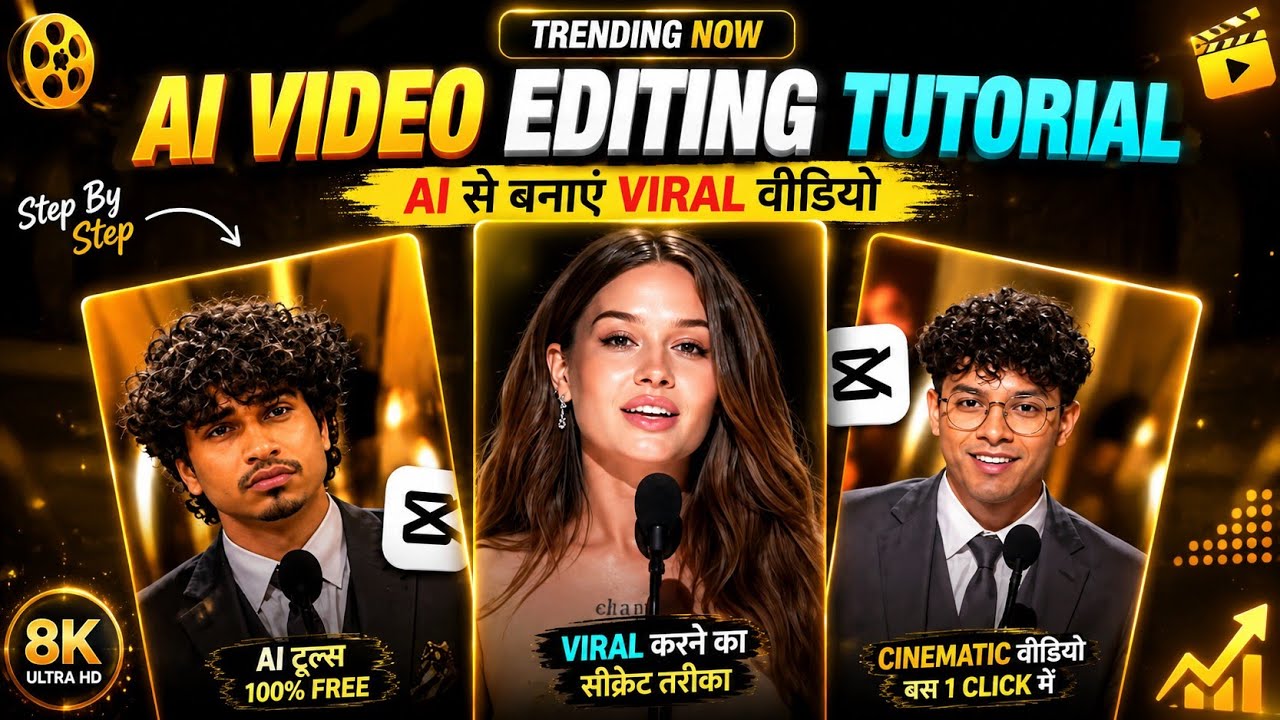
Style: Ultra-realistic live awards ceremony scene. Multi-camera
broadcast style —switches between polished TV broadcast angles
and intimate handheld documentarycoverage. Cinematic prestige
feel — think Grammy Awards orAcademy Awards production
quality. Natural human reactions, no over-acting.
Audio: Natural ceremony sound — elegant orchestral background
music, hostmicrophone voice projecting through venue speakers,
crowd murmur, then erupting applauseand cheers, chair movement,
footsteps on stage, trophy/plaque handling sound, emotional
crowd reaction.
Lighting: Grand indoor awards venue. Dramatic stage lighting — warm
golden spotlights on stage, cooler ambient lighting over audience
seating. Broadcast camera lights. LED stage displays casting colored
light. When winner is announced — a warm spotlight sweeps and
locks onto the winner in the audience.
Setting: Massive prestigious awards venue — Grammy or Academy
Awards scale. Grandstage with towering LED displays, elegant podium,
live orchestra pit. Thousands of formally dressed audience members
seated in rows. Press cameras lining the aisles. Large overhead screens
showing live broadcast feed. The venue radiates prestige and scale.
Main Character STRICT LOCK:@image_1
1 — THE WINNER “Ibrar: Use @image_1
1 as strict identity. Black suit jacket,
white dress shirt, black trousers, black belt, black formal shoes.
No sunglasses. No modifications to face or build. Seated in audience
among other formally dressed attendees. @image_1
2 — THE HOST: Use @image_2
2 as strict identity as the sole host on stage at the podium. Maintain
exact face, build, and features. Dressed in formal awards show attire. No
modifications to face or build allowed.
SCENE TIMELINE — 15 SECONDS
0–3s — THE ANNOUNCEMENT:
Broadcast close-up directly on @image_2
_
2’s face — tight, cinematic, high production
quality. @image_2
_
2 stands at the podium microphone under a warm golden spotlight.
Expression is composed, charismatic, building suspense deliberately.
She holds the envelope or
card, glances down at it one final time, then looks straight into camera.
A beat of silence. He
leans into the microphone and says slowly: “And the winner is…
“Camera holds tight on
@image_2
_
2’s face — lips, expression, the tension of the moment. Crowd murmur
audible in background.
3–6s — THE WINNER:
Hard broadcast cut to audience — low-angle TV camera shot pushing
through seated rows. Camera finds @image_1
_
1 seated among other guests, relaxed, not expecting it.
@image_1
_
2’s voice continues booming through the venue speakers: “
Ibrar!” Spotlight
snaps onto @image_2
_
1 from above. His expression shifts — genuine shock, eyes wide, mouth
slightly open, then breaks into a real overwhelmed smile. He looks left
and right at the people
beside him in disbelief. Crowd erupts into applause and cheers.
People around him stand,
clapping, patting his shoulders.
6–9s — RISING AND WALKING:
@image_1
_
1 straightens up, composes himself, stands from his seat.
Handheld documentary
camera picks him up immediately — tracking him from the aisle as he
moves forward toward the stage. Camera moves with him — slightly
shaky, intimate, real. Applause continues
thundering through the venue. Overhead broadcast screens cut to his
face live. He walks with
composure — suit clean, posture upright, expression warm and
slightly emotional.
9–12s — REACHING THE STAGE:Handheld camera follows @image_1_
1 up the stage steps. Bright stage spotlights hit him fully as
he ascends. @image_1
2 steps forward from the podium smiling warmly, holding the award
plaque with both hands. @image_2
1 reaches the podium. @image_1
2 presents the plaque —
@image_2_
1 receives it with both hands, looks down at it for a brief genuine moment.
The two share a natural smile and brief handshake. Behind them on the
massive LED stage display:
a large portrait of @image_1
1’s face, his name in bold elegant typography —
“IBRAR”
and beneath it: “THE BEST ACTOR.
” The display glows and pulses with celebratory
graphics.
12–15s — THE MOMENT:
Camera settles into a wide broadcast shot of the full stage — @image_1
1 standing at the
podium, award plaque in hand, @image_1
2 standing beside him, LED wall blazing behind them
both with @image_2
1’s name and face. Spotlights lock on @image_1
1. Applause fills the entire
venue — standing ovation building across the audience. @image_1
1 raises the plaque slightly,
looks out at the crowd, smile composed and genuine. @image_1
2 leads the applause from the
stage beside him. Final frame holds — the full stage, the glowing LED
display, the roaringcrowd, and @image_2
1 standing at the center of it all. No fade to black.
Common Mistakes to Avoid
1. Making the Video Too Long
A simple joke doesn’t need a two-minute explanation.
Keep the pacing fast.
2. Using Too Many Effects
Excessive effects can make the video difficult to watch.
Choose a few effects that support the joke.
3. Weak Opening
If your first few seconds aren’t interesting, viewers may scroll away.
Start with the award announcement or a surprising statement.
4. Making the AI Image Too Random
Random doesn’t always mean funny.
Give the AI enough instructions to create a recognizable scene.
5. Tiny Captions
Your text should be readable on a smartphone.
6. Copying Another Creator Exactly
Use the trend as inspiration, but create your own concept, prompts, jokes, and visual style.
Originality gives your content a better chance of standing out.
Creative Ideas for More Worst AI Editor Videos
Once you’ve created your first Reel, you can turn the idea into a series.
Worst AI Wedding Editor
Create an absurd wedding scene with impossible decorations.
Worst AI Travel Editor
Turn an ordinary selfie into a ridiculous vacation photograph.
Worst AI Fashion Editor
Create an intentionally terrible fashion photoshoot.
Worst AI Football Editor
Place the person inside an exaggerated football stadium with bizarre equipment.
Worst AI Celebrity Editor
Create a fictional celebrity-style red carpet scene.
Worst AI Photoshop Award
Pretend you’re giving an award to someone for the world’s worst Photoshop edit.
Worst AI Profile Picture
Create the most ridiculous social-media profile picture possible.
Worst AI Photographer Award
Show several terrible AI-generated “professional” photographs and select a winner.
How to Turn It Into a Series
Instead of uploading just one video, create a recurring format.
For example:
Episode 1: Worst AI Editor Award
Episode 2: Worst AI Photographer Award
Episode 3: Worst AI Fashion Designer Award
Episode 4: Worst AI Wedding Planner Award
Episode 5: Worst AI Travel Photographer Award
Using a recognizable format makes it easier for viewers to understand the joke when they see your next video.
You can even create your own fictional awards brand.
For example:
The AI Disaster Awards
Then every video becomes another category.
Final Thoughts
The Worst AI Editor Award concept works because it turns the usual goal of AI editing upside down.
Most creators use AI to make their photos look more realistic, cinematic, beautiful, or professional. This trend does the opposite: it intentionally creates ridiculous results and presents them with an extremely serious award-show presentation.
That’s where the humor comes from.
To create your own viral-style Instagram Reel, start with a clear concept, generate several exaggerated AI images, build a dramatic award introduction, add fast transitions and funny sound effects, and finish with a strong punchline.
Most importantly, don’t focus only on making the AI image strange. The presentation is what turns a strange image into a funny video.
A dramatic introduction, perfectly timed reveal, funny caption, and unexpected AI result can turn a simple experiment into entertaining short-form content.
So grab a photo, create your most ridiculous AI edit, prepare the trophy, and get ready to announce your next Worst AI Editor Award winner. 🏆😂
For More Information Visit