Have you ever watched breathtaking aerial footage on YouTube and wondered how creators capture those cinematic drone shots? The good news is that you no longer need an expensive drone, flying experience, or travel budget to create professional-looking aerial videos.
Thanks to modern AI video generators, anyone can create realistic drone-style footage from simple text prompts or images. Whether you’re a YouTuber, content creator, marketer, or video editor, AI makes it possible to produce eye-catching cinematic scenes in minutes.
In this guide, you’ll learn exactly how to create AI drone shot videos for YouTube, discover the best AI tools, optimize your workflow, and avoid common mistakes.
What Are AI Drone Shot Videos?
AI drone shot videos are aerial-style videos generated using artificial intelligence instead of an actual drone. These videos simulate realistic camera movements such as:
- Smooth flyovers
- High-altitude landscape views
- Cinematic city reveals
- Mountain and forest fly-throughs
- Beach and ocean aerial shots
- Orbit camera movements
- Top-down cinematic views
Most AI tools generate these scenes using text prompts, reference images, or existing videos.
Why Use AI Instead of a Real Drone?
Using AI offers several advantages:
- No drone required
- No flying license needed
- No weather limitations
- Lower production costs
- Faster content creation
- Unlimited creative possibilities
- Safe for restricted locations
For YouTube creators, this means producing cinematic visuals without investing thousands of dollars in equipment.
Best AI Tools for Creating Drone Shot Videos
1. Google Veo
Google Veo is one of the most advanced AI video generators available today. It creates highly realistic cinematic camera movements and excellent lighting effects.
Best for:
- Nature videos
- Travel scenes
- Documentary footage
- Realistic drone flyovers
2. Runway
Runway offers powerful AI video generation with camera motion controls.
Features include:
- Drone-like camera movement
- Motion brush
- Video expansion
- Image-to-video generation
Ideal for:
- YouTube creators
- Short films
- Marketing videos
3. Kling AI
Kling AI has become popular for creating realistic cinematic videos with smooth motion.
Best for:
- Landscape shots
- City flyovers
- Fantasy environments
- Drone-style storytelling
4. Pika
Pika is beginner-friendly and produces impressive AI videos quickly.
Perfect for:
- Social media
- YouTube Shorts
- Creative projects
5. Luma AI Dream Machine
Luma AI generates high-quality cinematic videos with realistic camera movement.
Excellent for:
- Product videos
- Landscape scenes
- Creative storytelling
Step-by-Step: How to Create AI Drone Shot Videos
Step 1: Choose Your AI Video Generator
Select an AI platform based on your budget and video goals.
Beginners should prioritize ease of use, while professionals may prefer advanced camera controls.
Step 2: Write a Detailed Prompt
Prompt quality determines video quality.
Example prompt:
“A cinematic drone shot flying over snow-covered mountains at sunrise, golden lighting, ultra realistic, smooth aerial movement, 4K, dramatic clouds, slow cinematic camera motion.”
The more descriptive your prompt, the better the result.
Include details like:
- Location
- Weather
- Time of day
- Camera movement
- Lighting
- Style
- Resolution
Step 3: Generate Multiple Versions
Don’t settle for the first result.
Generate several variations and compare:
- Camera angles
- Lighting
- Motion smoothness
- Subject realism
Professional creators often create multiple versions before selecting the best clip.
Step 4: Enhance the Video
Use editing software to improve your AI-generated footage.
Enhancements may include:
- Color grading
- Motion blur
- Film grain
- Sharpening
- Cinematic LUTs
- Speed adjustments
These refinements help create a polished, professional look.
Step 5: Add Background Music
Drone footage becomes far more engaging with the right soundtrack.
Popular styles include:
- Ambient music
- Cinematic orchestral scores
- Chill electronic
- Inspirational piano
- Epic trailer music
Choose music that matches the mood of your visuals.
Step 6: Export in High Resolution
For YouTube, export in:
- 4K whenever possible
- 60 FPS for smoother motion
- High bitrate
- H.264 or H.265 format
Higher-quality exports improve the viewing experience.
Best Prompt Ideas for AI Drone Videos
Try prompts such as:
- Drone flying above tropical islands at sunset
- Cinematic aerial view of futuristic city
- Drone flying through snowy mountains
- Golden-hour forest flyover
- Drone reveal over ancient castle
- Top-down waterfall cinematic shot
- Drone flying across desert dunes
- Night city skyline with glowing lights
- Ocean cliffs during sunrise
- Volcano aerial cinematic sequence
Experiment with different environments and lighting for unique results.
Tips for More Realistic AI Drone Videos
To achieve natural-looking results:
- Describe smooth camera movement.
- Specify realistic lighting.
- Mention weather conditions.
- Include cinematic lens effects.
- Use wide-angle perspectives.
- Avoid overly complex prompts.
- Generate several versions and compare.
Small prompt adjustments can dramatically improve realism.
Common Mistakes to Avoid
Many beginners encounter these issues:
- Using prompts that are too short
- Ignoring camera movement descriptions
- Overloading prompts with conflicting details
- Skipping color grading
- Exporting at low resolution
- Using repetitive scenes
Keeping prompts focused and editing thoughtfully leads to better results.
Prompt:
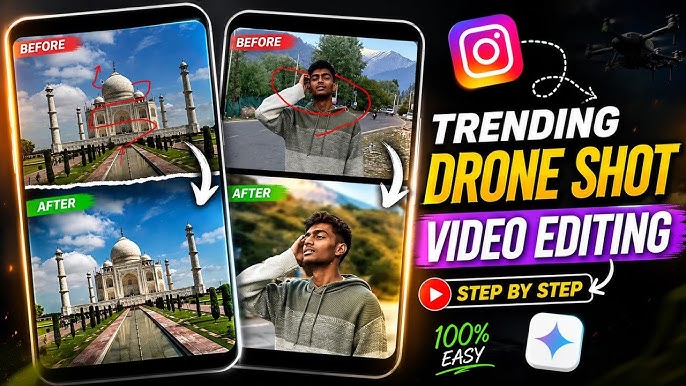
Use the uploaded image as the exact first frame of the animation. The red line is a drone flight trajectory guide only, defining the precise drone route, curves, travel direction, altitude changes, and endpoint. The white arrows are camera orientation guides only, defining exactly where the camera should face throughout the flight. These guides are for motion planning only and must never appear in the final video. Before the animation begins, completely remove all red lines, white arrows, markers, annotations, and any other guide graphics, revealing the untouched original image beneath. Generate one uninterrupted aerial drone POV shot. The drone must fly as closely as possible along the exact trajectory defined by the red waypoint path, faithfully matching every curve, bend, direction, speed transition, and final destination. Independently of the flight path, continuously orient the camera according to the white directional arrows. The drone movement and camera viewing direction are separate controls and must both be followed precisely. Even when the drone is moving in one direction while looking in another, maintain smooth, natural gimbal motion that keeps the camera aligned with the specified viewing direction. Use realistic cinematic drone physics, including smooth acceleration, gradual deceleration, subtle banking during turns, stabilized gimbal movement, natural inertia, and continuous fluid motion. Avoid abrupt rotations, jerky movements, sudden speed changes, teleports, cuts, or transitions. Do not alter any part of the original scene. Preserve the environment, terrain, architecture, vegetation, lighting, weather, shadows, colors, perspective, scale, and all objects exactly as shown in the source image. The only change should be the realistic drone movement following the red flight path while the camera continuously follows the white viewing directions. Output a clean, photorealistic, high-resolution cinematic drone video with no visible guides, arrows, waypoint lines, overlays, graphics, labels, text, logos, or watermarks in any frame.
SEO Tips for YouTube AI Drone Videos
To help your videos reach a wider audience:
- Use keywords naturally in your video title and description.
- Design an eye-catching thumbnail.
- Add relevant tags.
- Include timestamps for longer tutorials.
- Write a detailed video description.
- Encourage viewers to like, comment, and subscribe.
- Publish consistently to build audience trust.
Frequently Asked Questions
Can AI replace real drone footage?
AI can produce impressive aerial-style visuals for many projects, but real drone footage still offers unmatched authenticity for certain commercial, documentary, or location-specific productions.
Are AI drone videos allowed on YouTube?
Yes. AI-generated videos can be uploaded to YouTube as long as they comply with YouTube’s policies and do not violate copyright or mislead viewers.
Do I need editing skills?
Basic editing knowledge is helpful, but many AI tools generate polished footage with minimal post-production.
Which AI tool is best?
There is no single best choice. Google Veo excels in realism, Runway offers powerful editing features, Kling AI produces smooth cinematic motion, and Luma AI delivers impressive visual quality. The right option depends on your workflow and budget.
Final Thoughts
Creating cinematic drone videos no longer requires expensive hardware or advanced flying skills. AI has made professional-looking aerial content accessible to creators of all experience levels. By combining strong prompts, the right AI tools, thoughtful editing, and YouTube SEO best practices, you can produce engaging videos that stand out in a crowded platform.
As AI video technology continues to evolve, experimenting with different tools and prompt styles will help you develop a distinctive visual style and keep your content fresh. Start creating, refine your process with each project, and use AI to bring ambitious aerial ideas to life.
For More Information Visit